> ## Documentation Index
> Fetch the complete documentation index at: https://docs.geekai.co/llms.txt
> Use this file to discover all available pages before exploring further.

# 扣子插件

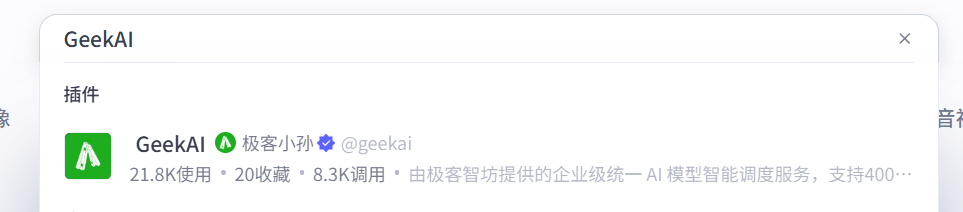
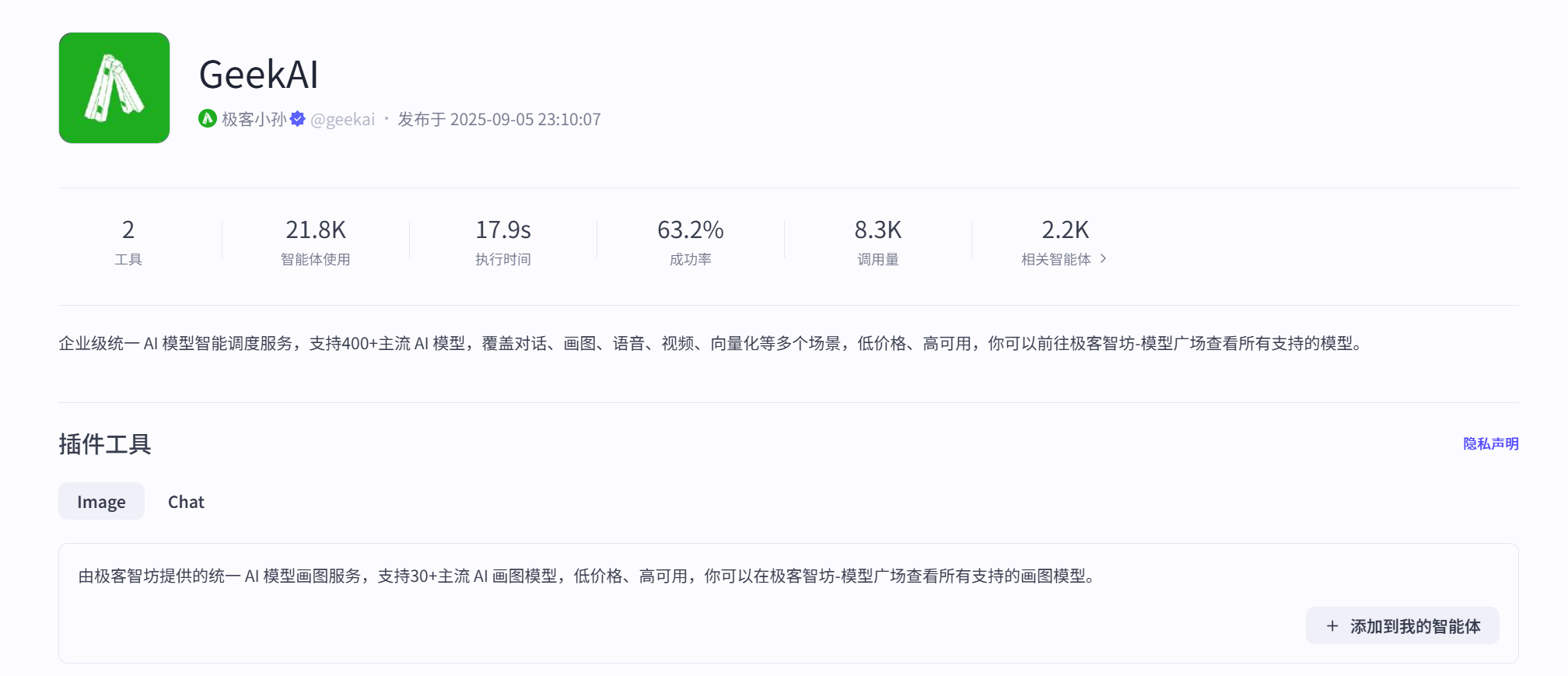
我们已经发布了官方插件 GeekAI 到[扣子插件商店](https://www.coze.cn/store/plugin/7470533618771804212)，方便你在扣子平台创建智能体/应用时使用 GeekAI 提供的 AI 模型对话和画图服务：

<img src="https://static.geekai.co/storage/2025/09/23/image-20250923144946874.png" className="mt-2" alt="在扣子中使用极客智坊AI模型服务" />

<img src="https://static.geekai.co/storage/2025/09/23/image-20250923145112992.png" className="mt-2" alt="在扣子中使用极客智坊AI模型服务" />

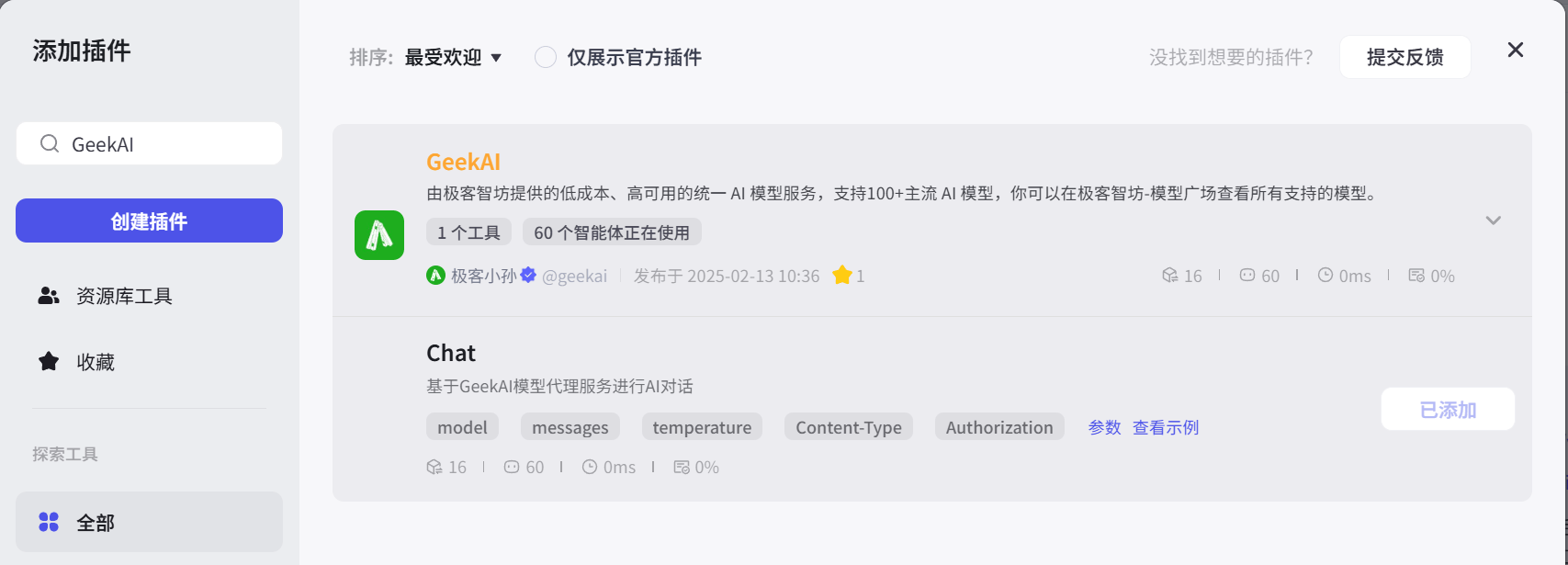
以在扣子中创建智能体为例，我们可以通过在插件中添加 GeekAI 来提供低价模型代理服务用于智能体对话：

<img src="https://static.geekai.co/storage/2025/02/13/image-20250213115629311.png" className="mt-2" alt="在扣子中使用极客智坊AI模型服务" />

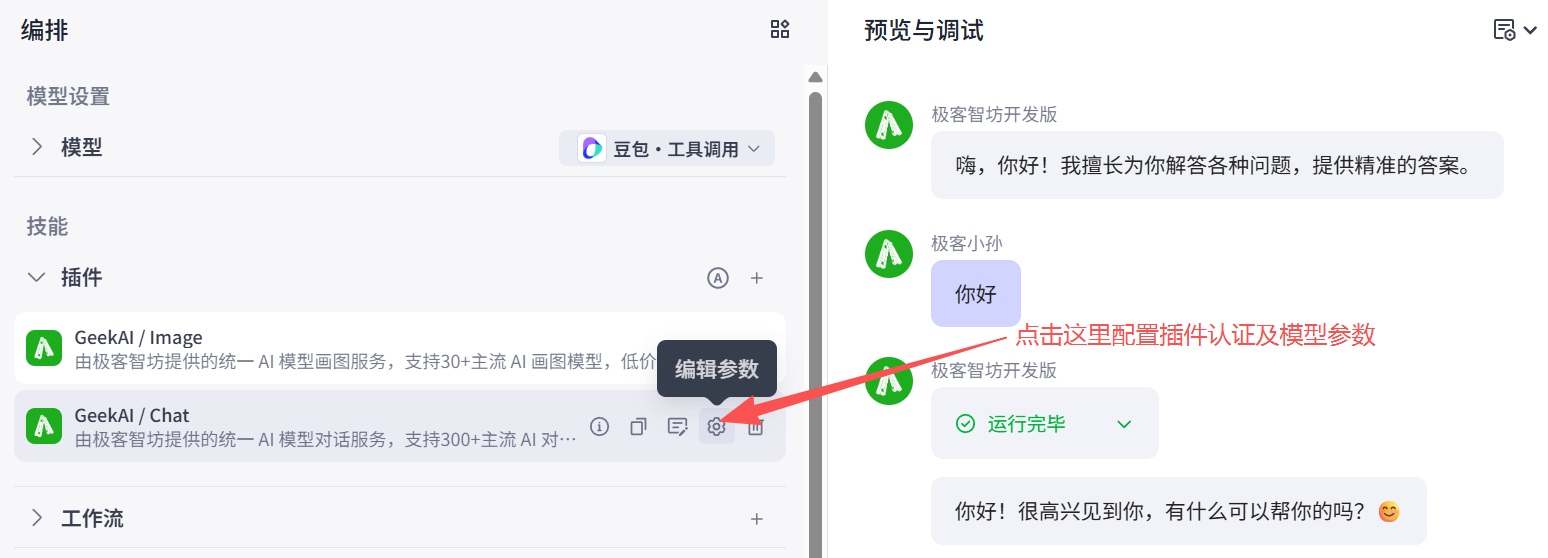
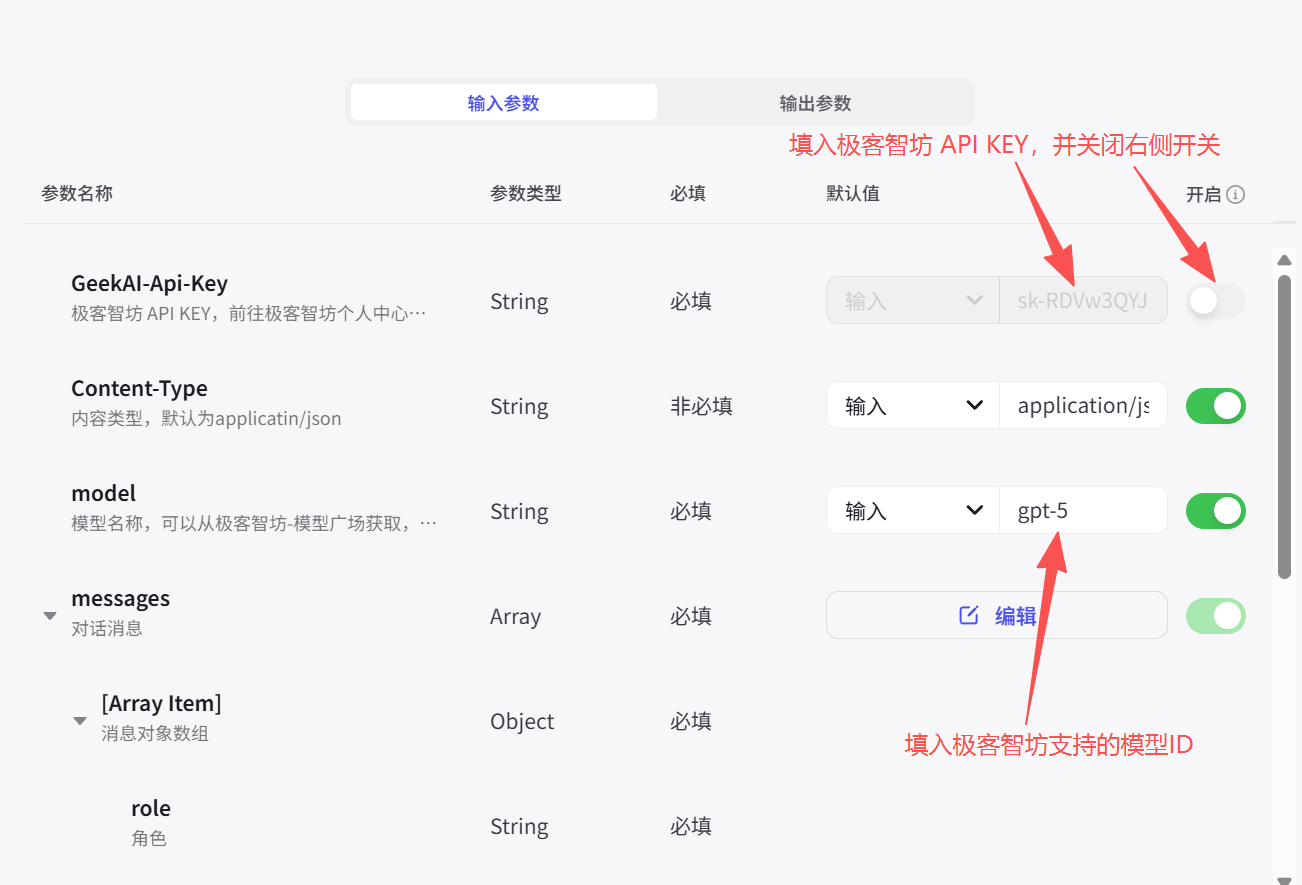
我们需要在插件参数中填入极客智坊 API KEY 到 GeekAI-Api-Key 认证头用于 API 认证以及模型名称来自定义使用的对话模型，你还可以配置温度参数来为智能体设置适合的回答风格：

<img src="https://static.geekai.co/storage/2025/09/23/image-20250923145741183.png" className="mt-2" alt="在扣子中使用极客智坊AI模型服务" />

<img src="https://static.geekai.co/storage/2025/09/23/image-20250923145539881.png" className="mt-2" alt="在扣子中使用极客智坊AI模型服务" />

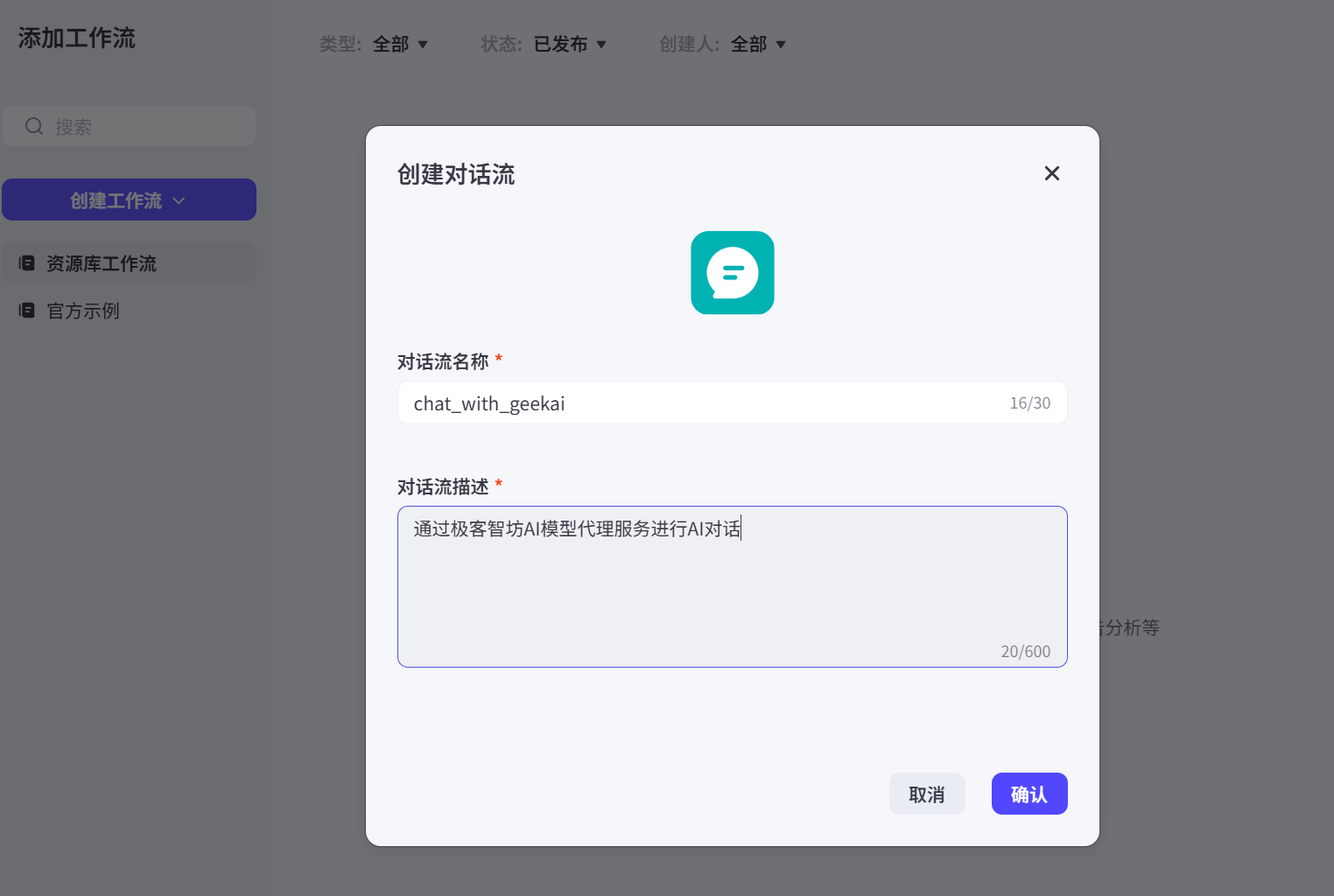
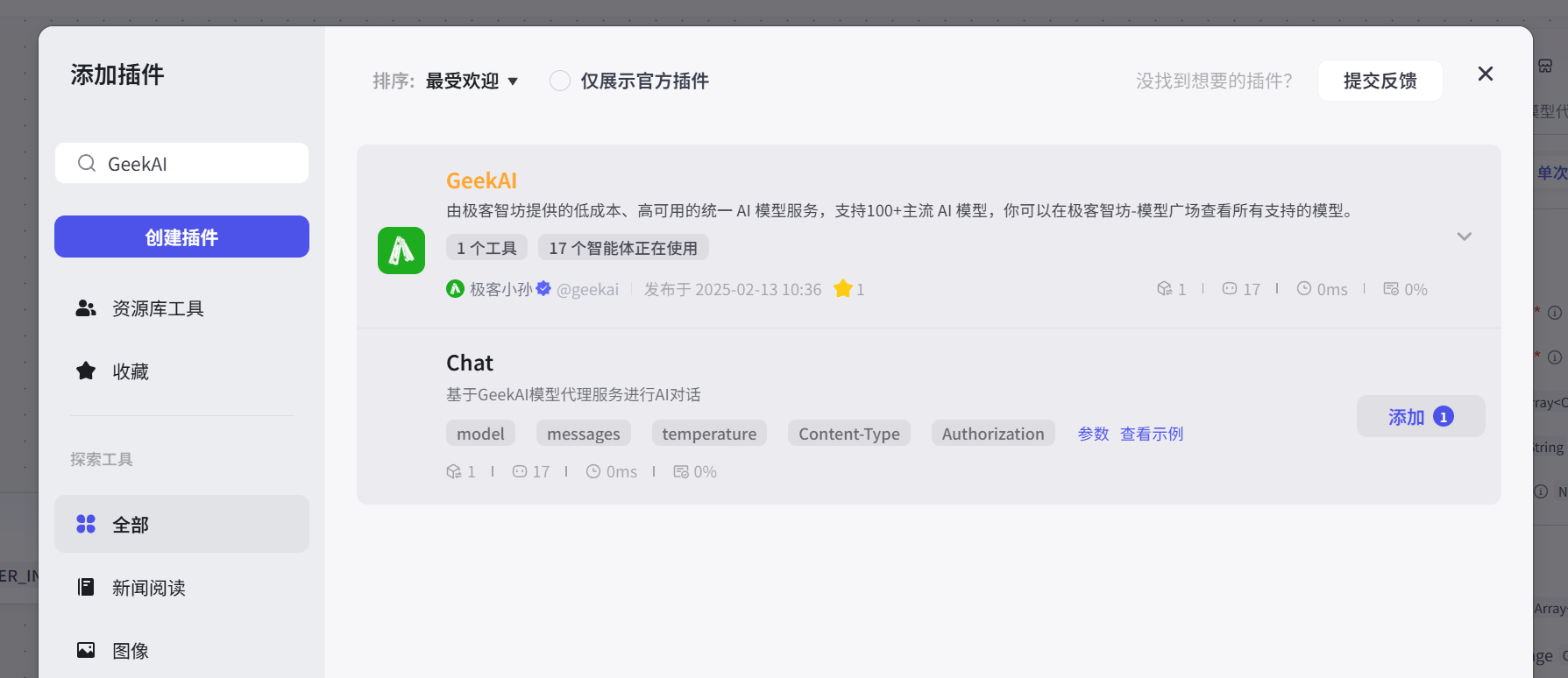
还可以通过创建工作流引用 GeekAI 插件来完成更复杂的业务逻辑：

<img src="https://static.geekai.co/storage/2025/02/13/image-20250213105009960.png" className="mt-2" alt="在扣子中使用极客智坊AI模型服务" />

<img src="https://static.geekai.co/storage/2025/02/13/image-20250213105139360.png" className="mt-2" alt="在扣子中使用极客智坊AI模型服务" />

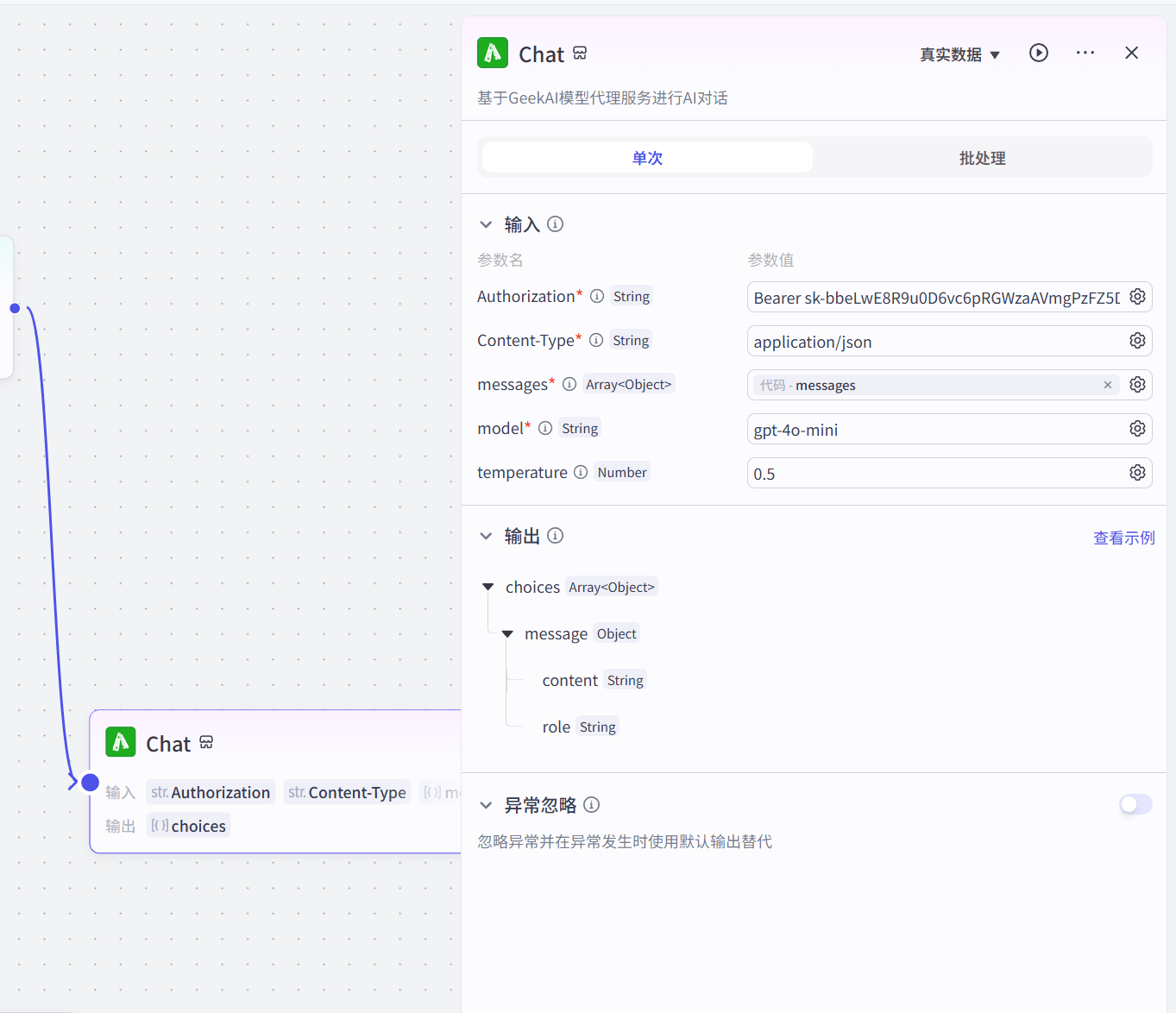
同样也要配置认证参数和模型信息：

<img src="https://static.geekai.co/storage/2025/02/13/image-20250213131049345.png" className="mt-2" alt="在扣子中使用极客智坊AI模型服务" />

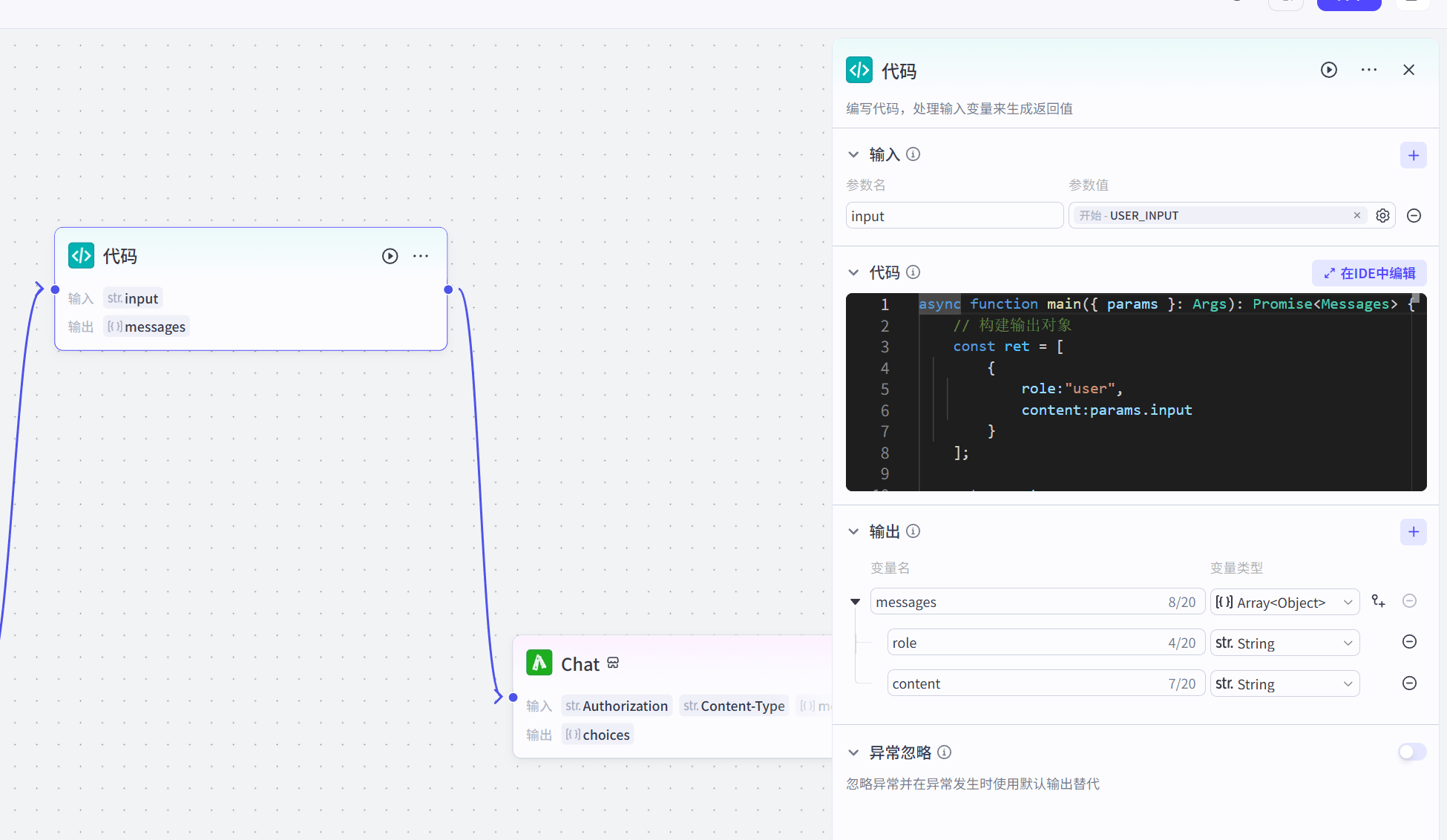
此外，为了能够正常处理输入输出消息，我们还需要通过代码处理输入消息数据结构：

<img src="https://static.geekai.co/storage/2025/02/13/image-20250213125533182.png" className="mt-2" alt="在扣子中使用极客智坊AI模型服务" />

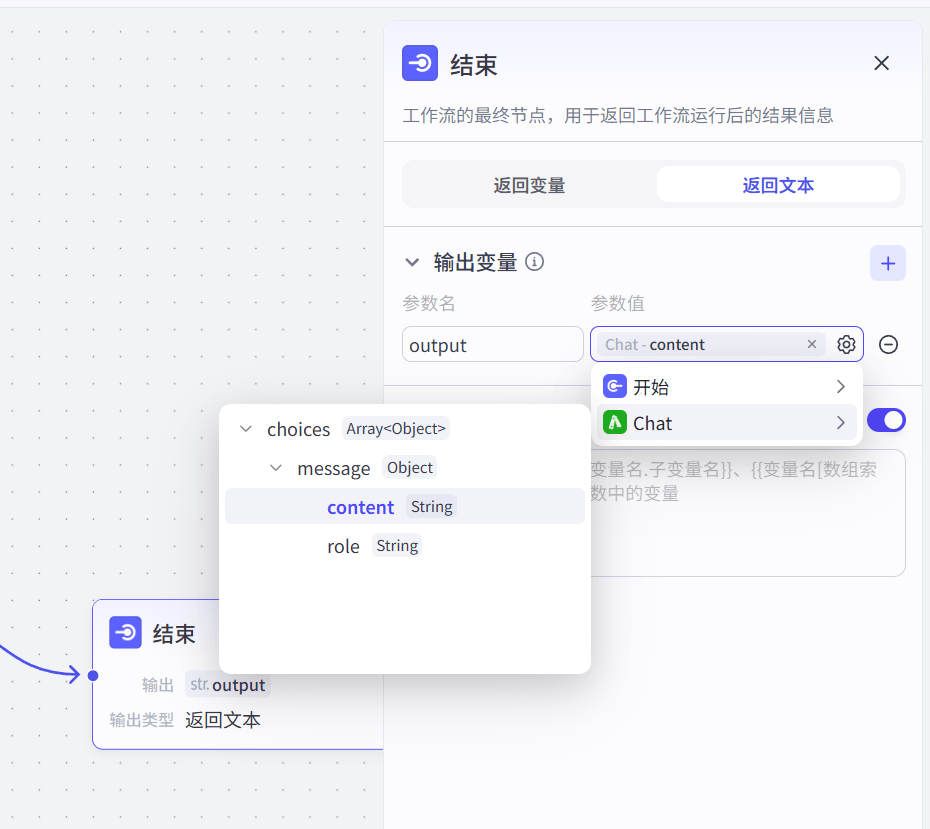
以及在结束流程中获取AI响应消息输出：

<img src="https://static.geekai.co/storage/2025/02/13/image-20250213105625099.png" className="mt-2" alt="在扣子中使用极客智坊AI模型服务" />

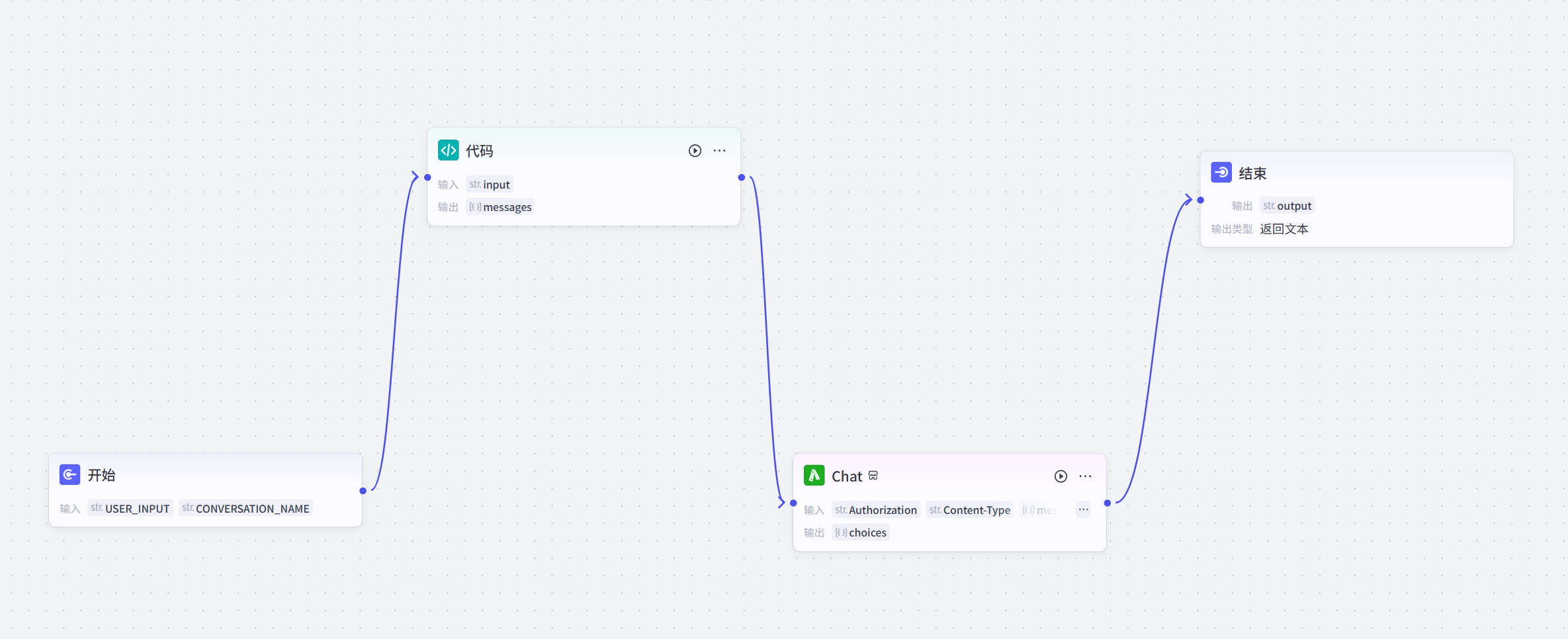
完整的工作流配置如下：

<img src="https://static.geekai.co/storage/2025/02/13/image-20250213125724810.png" className="mt-2" alt="在扣子中使用极客智坊AI模型服务" />

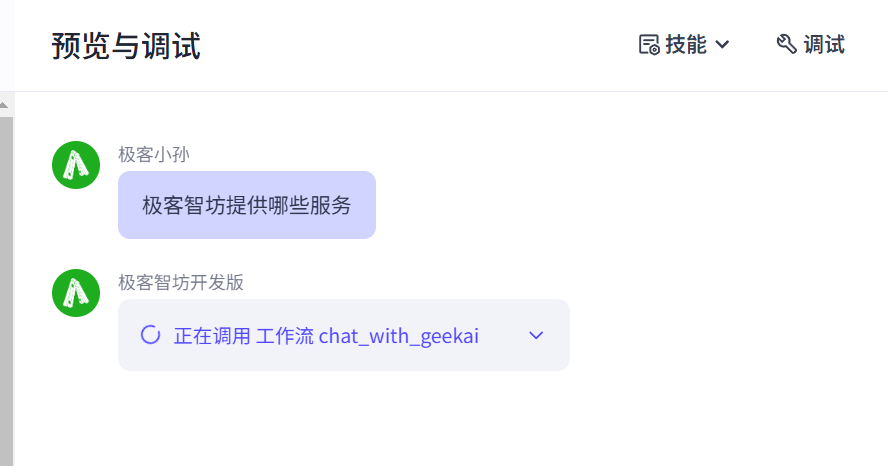
配置好了之后，就可以通过极客智坊模型代理服务进行扣子智能体对话了:

<img src="https://static.geekai.co/storage/2025/02/13/image-20250213124317441.png" className="mt-2" alt="在扣子中使用极客智坊AI模型服务" />

使用过程中如果遇到任何问题，可以加入极客智坊官方用户交流群进行咨询和交流：

<img src="https://static.geekai.co/image/geekai_wechat_group.png" className="mt-2" alt="极客智坊微信群" />