> ## Documentation Index
> Fetch the complete documentation index at: https://docs.geekai.co/llms.txt
> Use this file to discover all available pages before exploring further.

# Dify

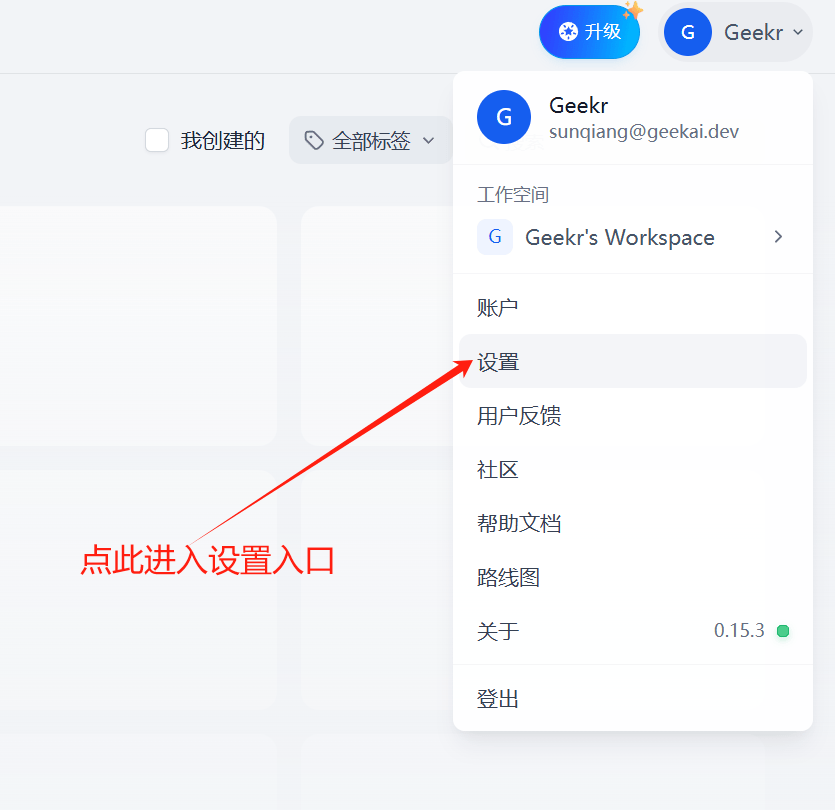
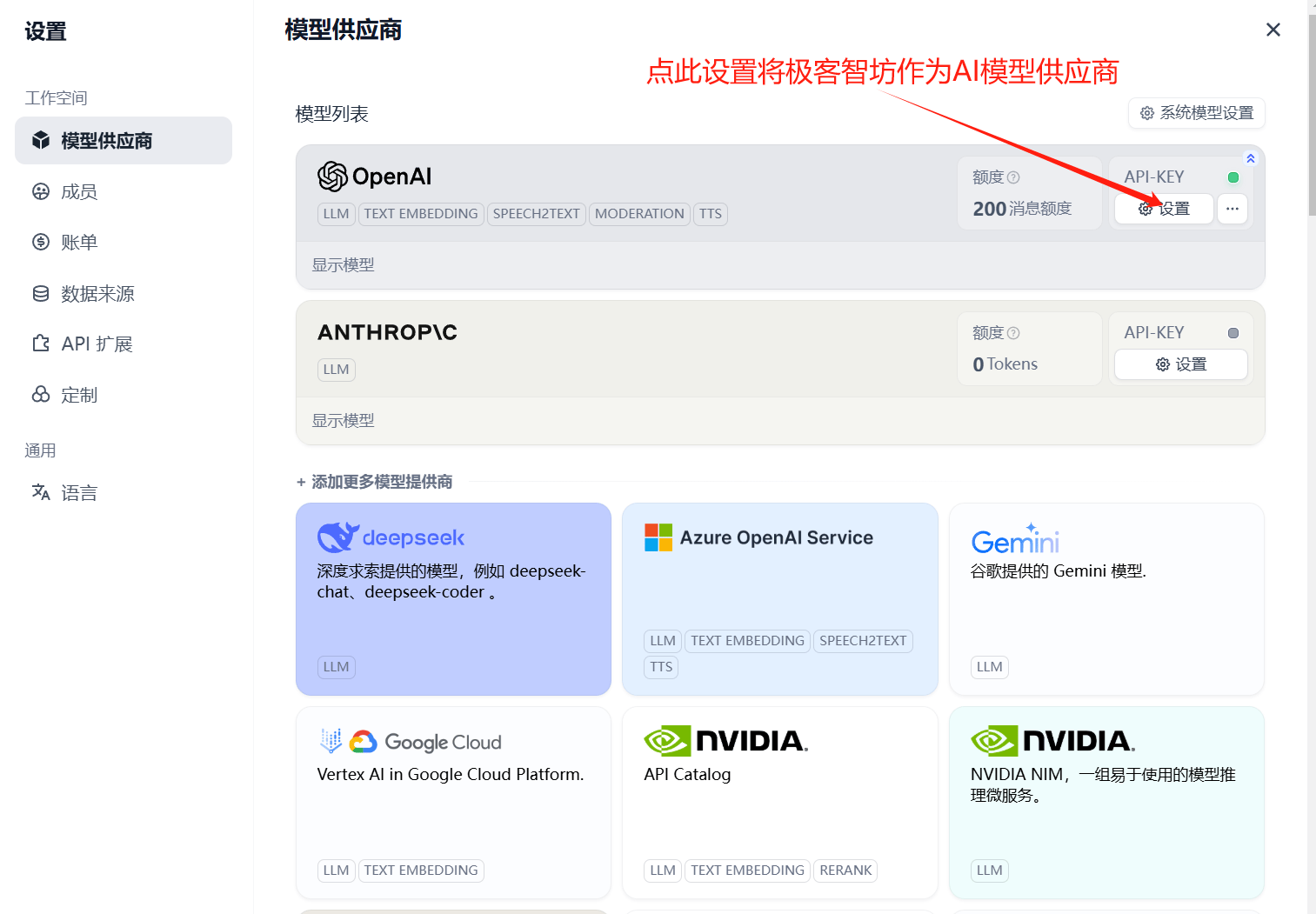
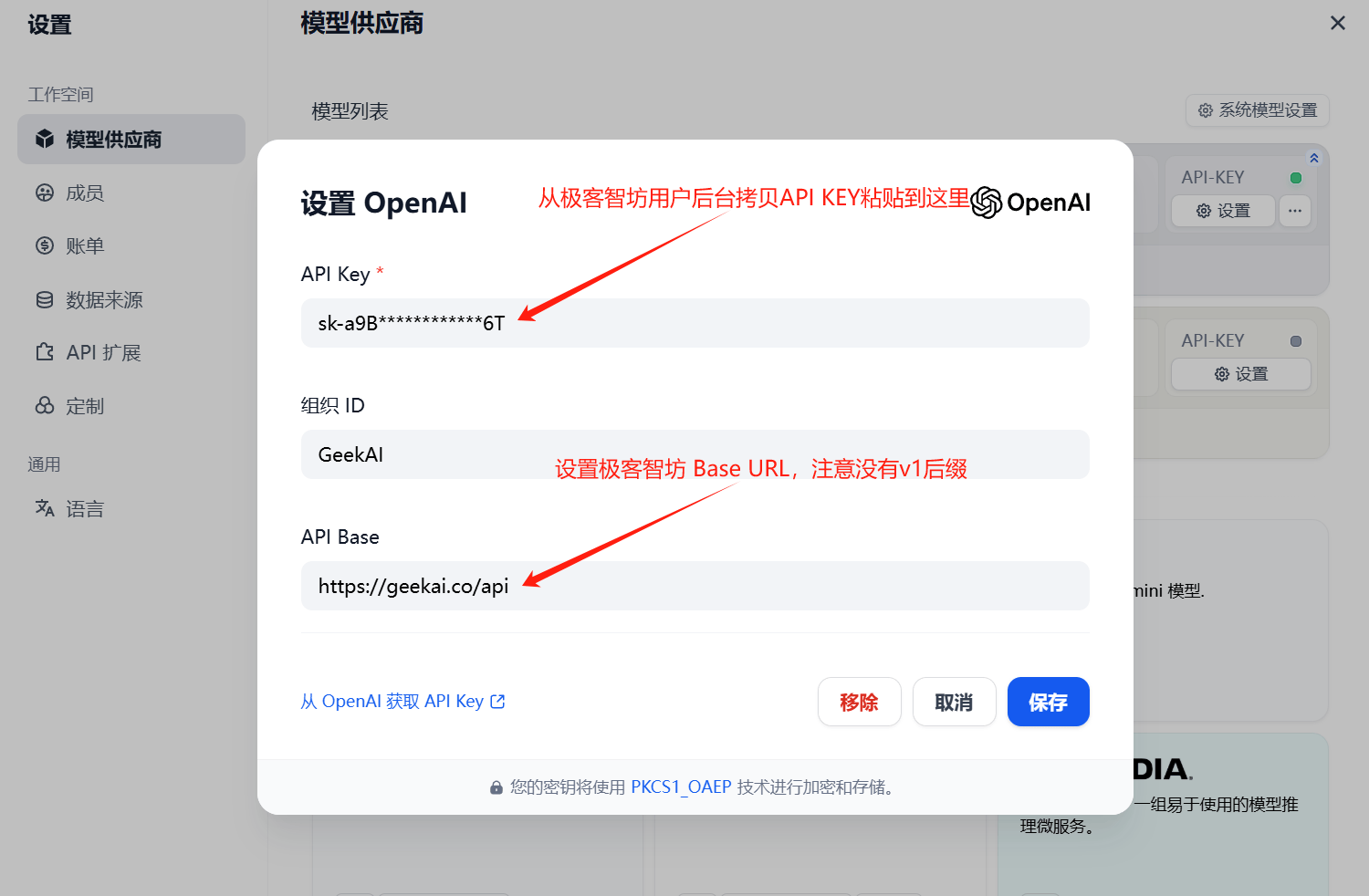
打开 [Dify](https://cloud.dify.ai/apps) 设置界面，填入极客智坊 API Base URL 和 API\_KEY 将其作为 OpenAI 模型代理供应商：

<img src="https://static.geekai.co/storage/2025/02/12/image-20250212225838241.png" className="mt-2" alt="Dify" />

<img src="https://static.geekai.co/storage/2025/02/12/image-20250212163223051.png" className="mt-2" alt="Dify" />

<img src="https://static.geekai.co/storage/2025/02/12/image-20250212163406587.png" className="mt-2" alt="Dify" />

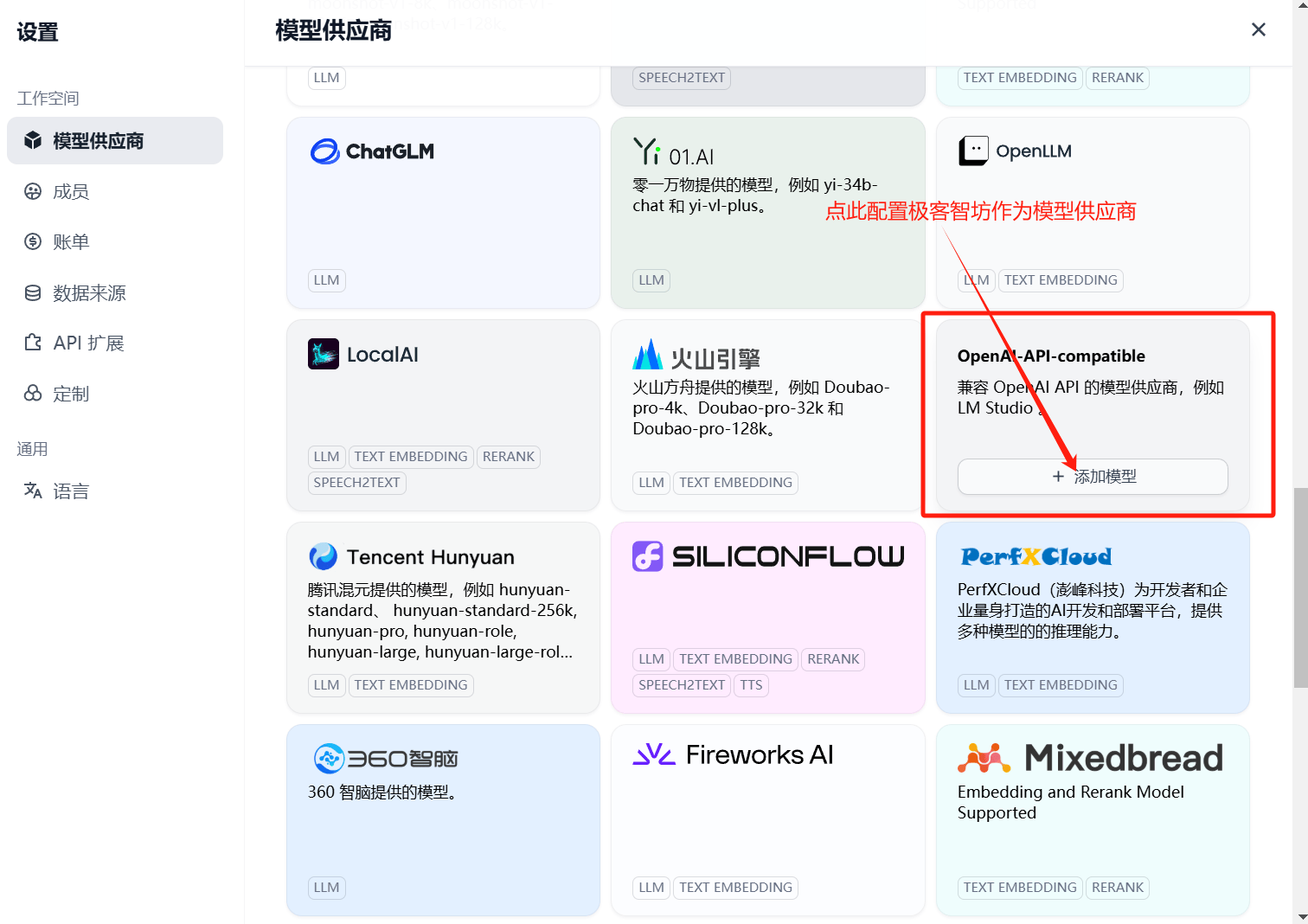
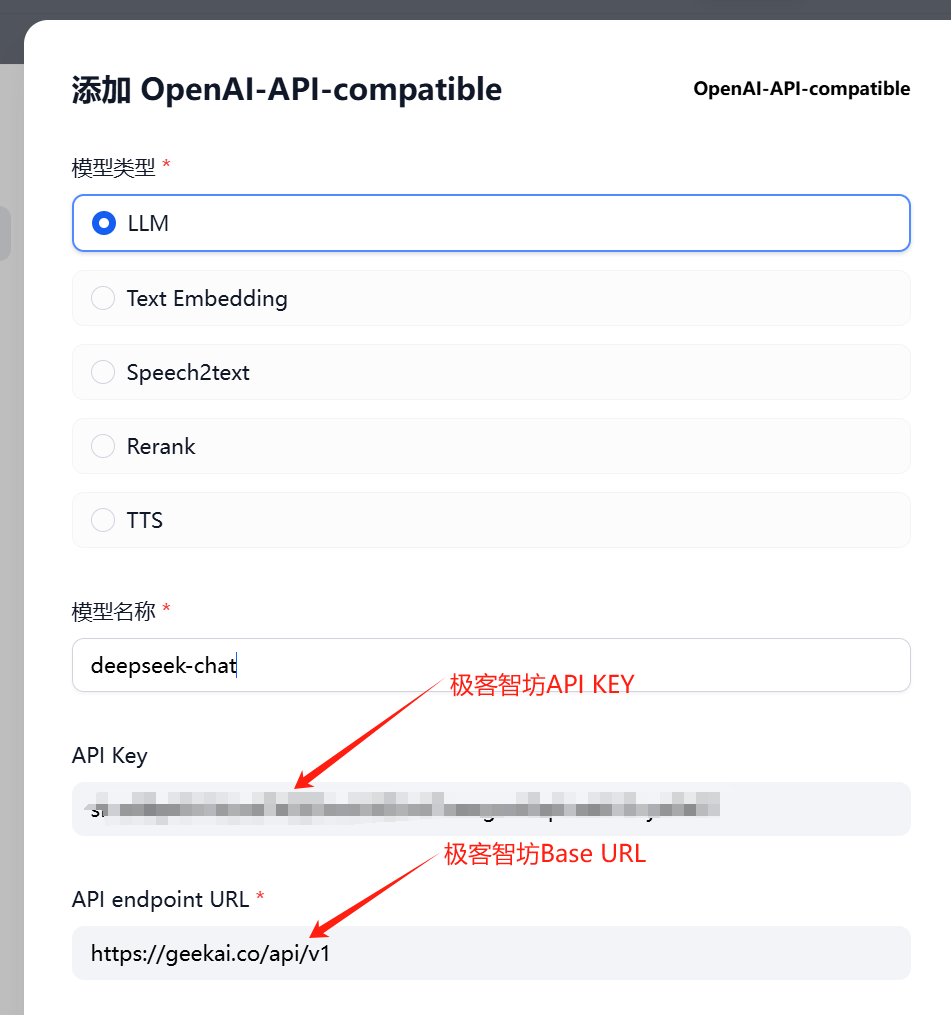
通过这种方式只能代理 OpenAI 平台的模型，要在 Dify 中使用极客智坊支持的其他平台模型，需要通过 OpenAI-API-Compatible 入口继续添加其他模型：

<img src="https://static.geekai.co/storage/2025/02/12/image-20250212163714785.png" className="mt-2" alt="Dify" />

<img src="https://static.geekai.co/storage/2025/02/12/image-20250212165119791.png" className="mt-2" alt="Dify" />