> ## Documentation Index
> Fetch the complete documentation index at: https://docs.geekai.co/llms.txt
> Use this file to discover all available pages before exploring further.
# 沉浸式翻译
打开 [沉浸式翻译](https://immersivetranslate.com/zh-Hans/) 浏览器插件设置界面,填入极客智坊 API 接口 URL 和 API\_KEY:
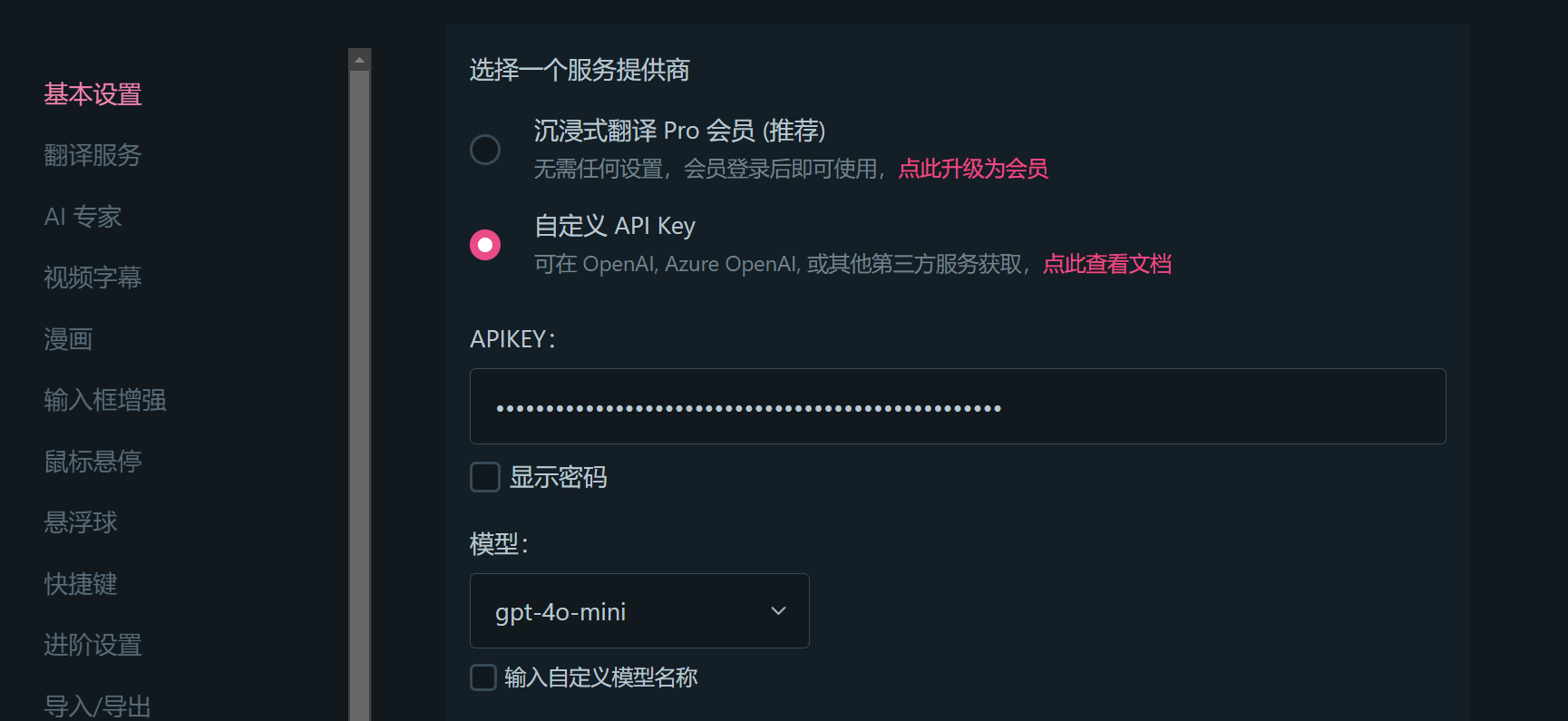
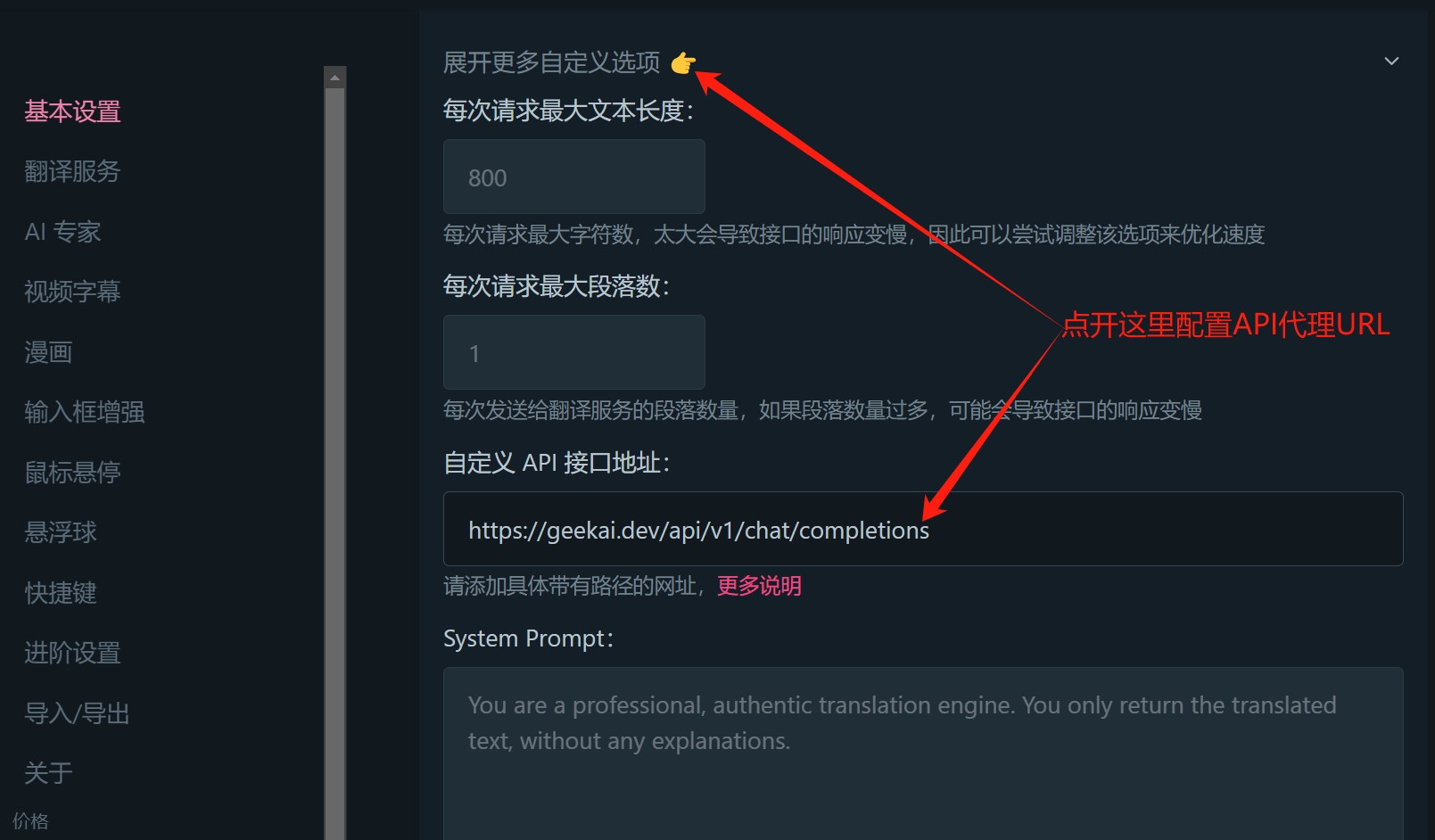 注意:翻译任务使用免费模型即可,性价比最高,比如glm-4-flash。
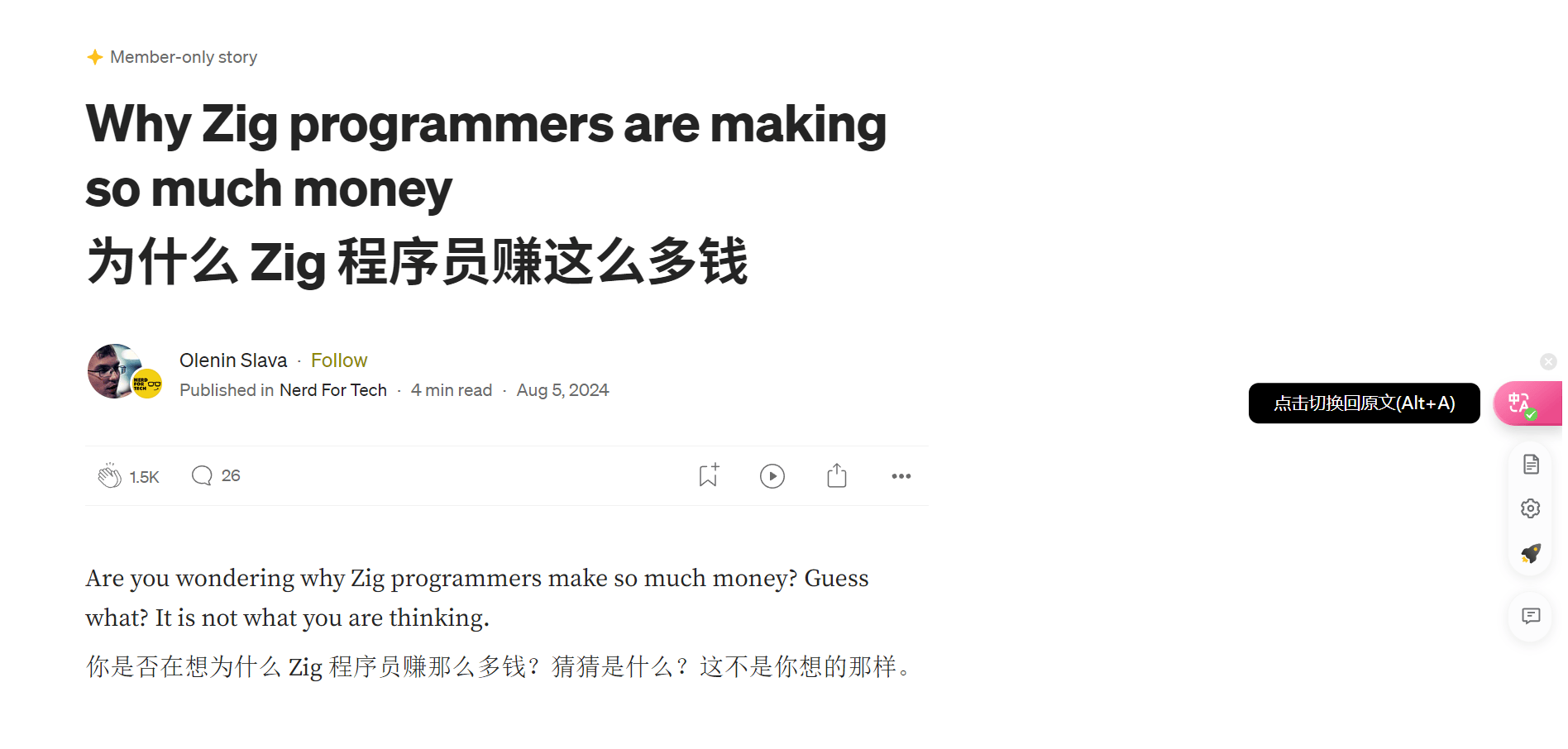
配置完成后会自动保存设置,然后在浏览器页面即可通过极客智坊代理 OpenAI 模型进行沉浸式翻译了:
注意:翻译任务使用免费模型即可,性价比最高,比如glm-4-flash。
配置完成后会自动保存设置,然后在浏览器页面即可通过极客智坊代理 OpenAI 模型进行沉浸式翻译了: