> ## Documentation Index
> Fetch the complete documentation index at: https://docs.geekai.co/llms.txt
> Use this file to discover all available pages before exploring further.
# WorkBuddy
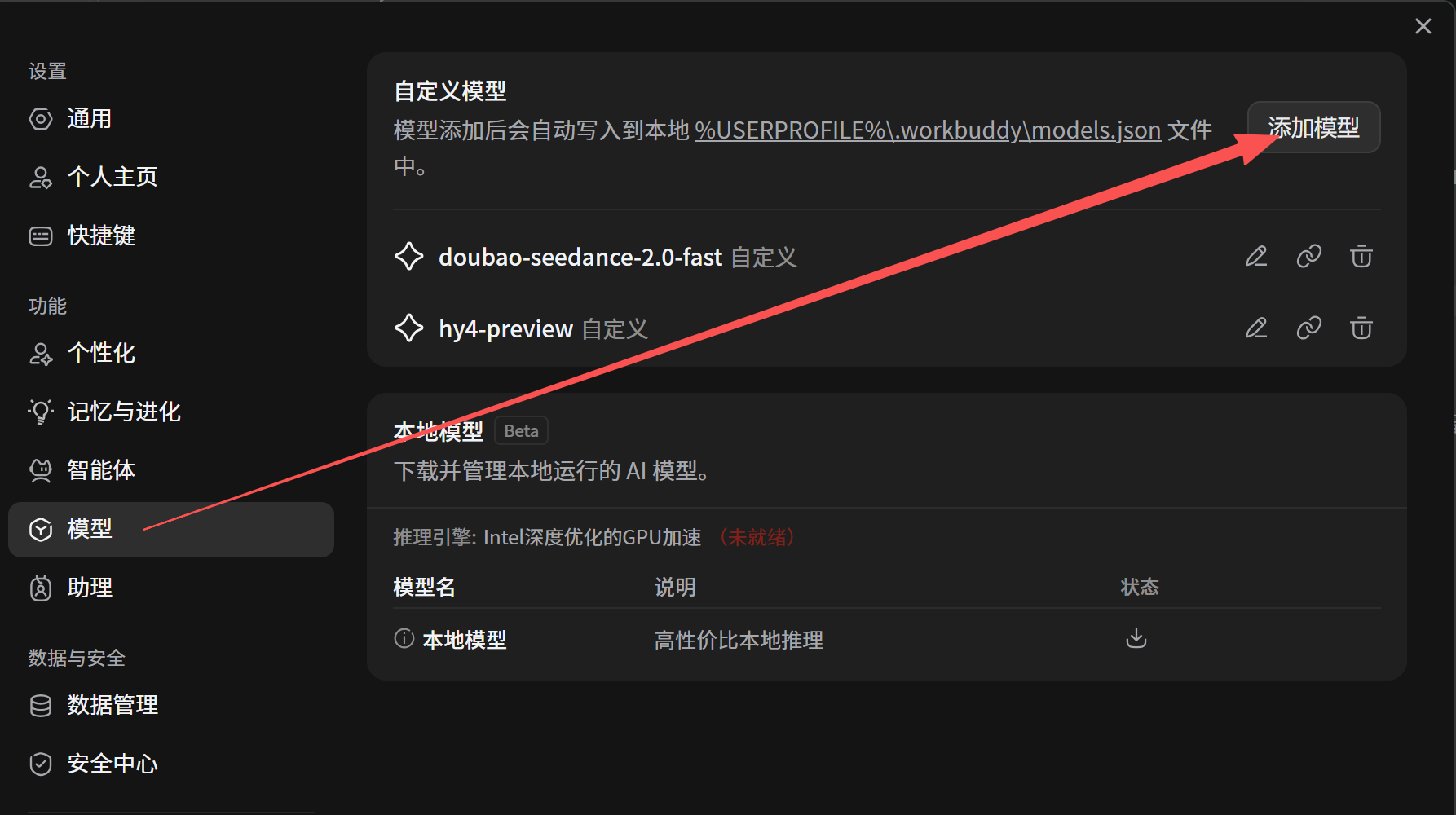
打开 [WorkBuddy](https://www.workbuddy.cn/) 设置界面,进入模型配置页,点击右上角添加模型按钮:
 在弹出窗口供应商选择自定义,然后填入极客智坊 API 接口 URL 和 API KEY:
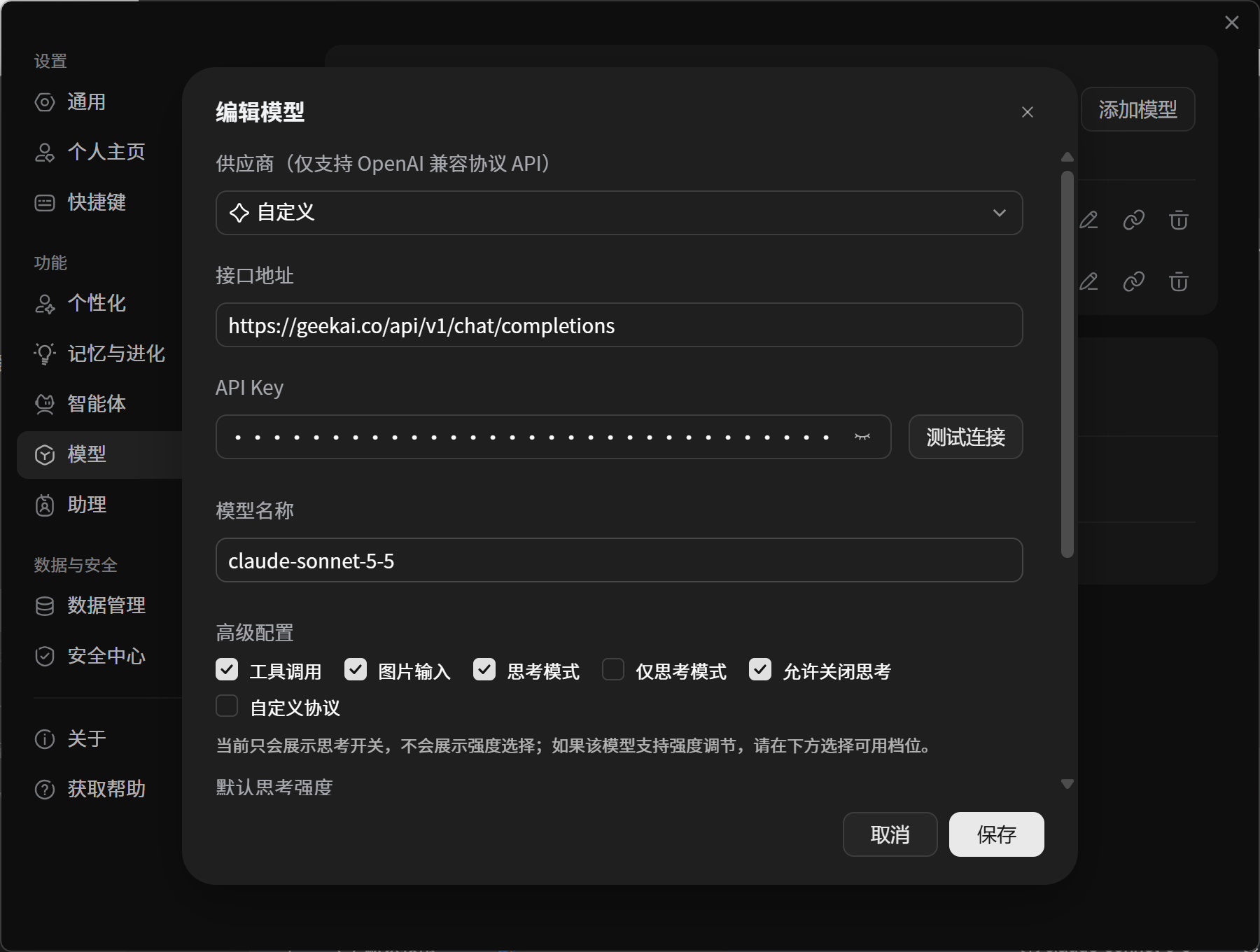 如果模型支持图片识别和思考模式,则勾选这两个选项。
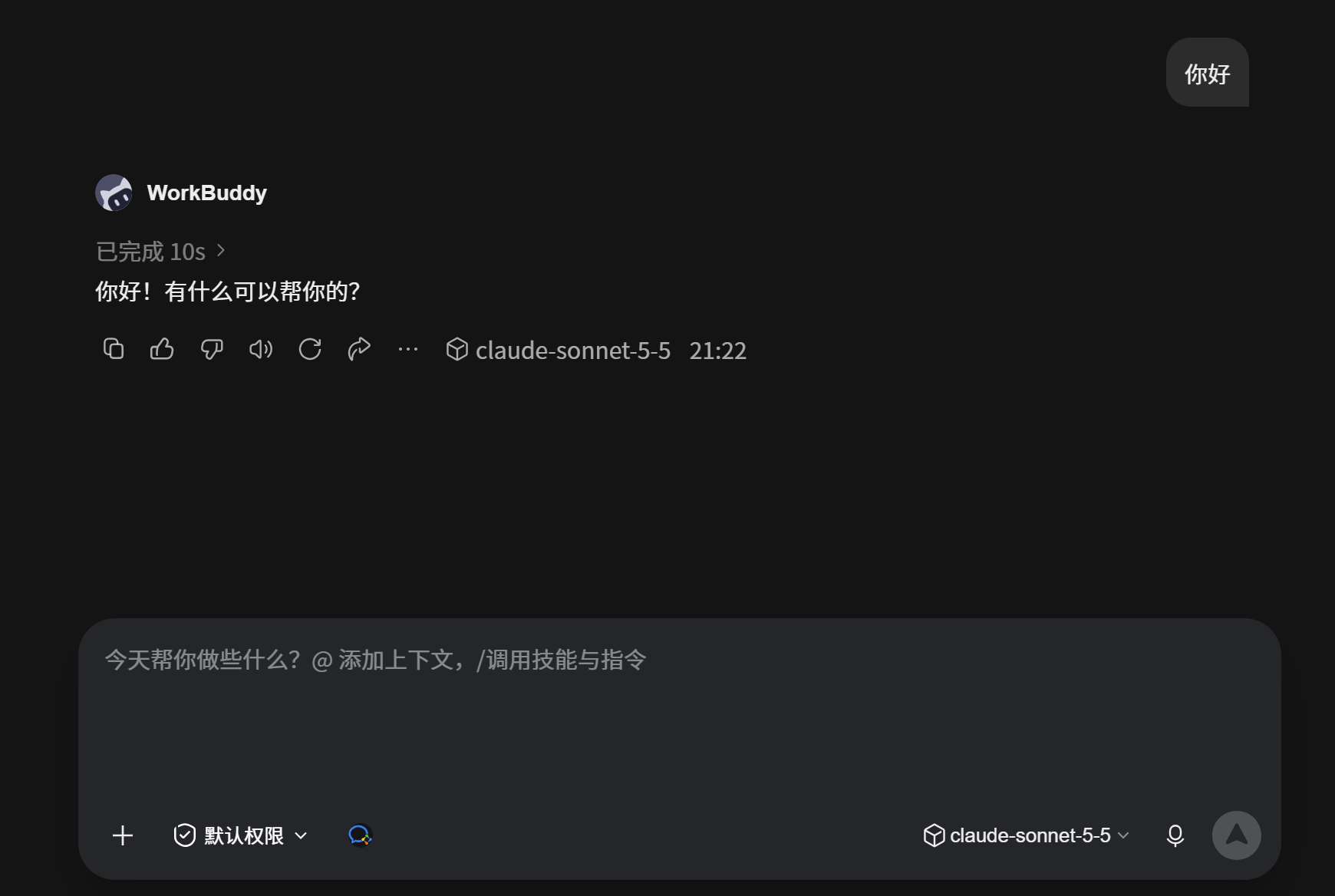
配置完成后,点击测试连接按钮测试连通性,连接成功则点击保存按钮,然后进入对话界面即可通过极客智坊代理的 AI 模型进行对话:
如果模型支持图片识别和思考模式,则勾选这两个选项。
配置完成后,点击测试连接按钮测试连通性,连接成功则点击保存按钮,然后进入对话界面即可通过极客智坊代理的 AI 模型进行对话:
 This documentation is built and hosted on [Mintlify](https://mintlify.com), a developer documentation platform.