> ## Documentation Index
> Fetch the complete documentation index at: https://docs.geekai.co/llms.txt
> Use this file to discover all available pages before exploring further.
# Cline
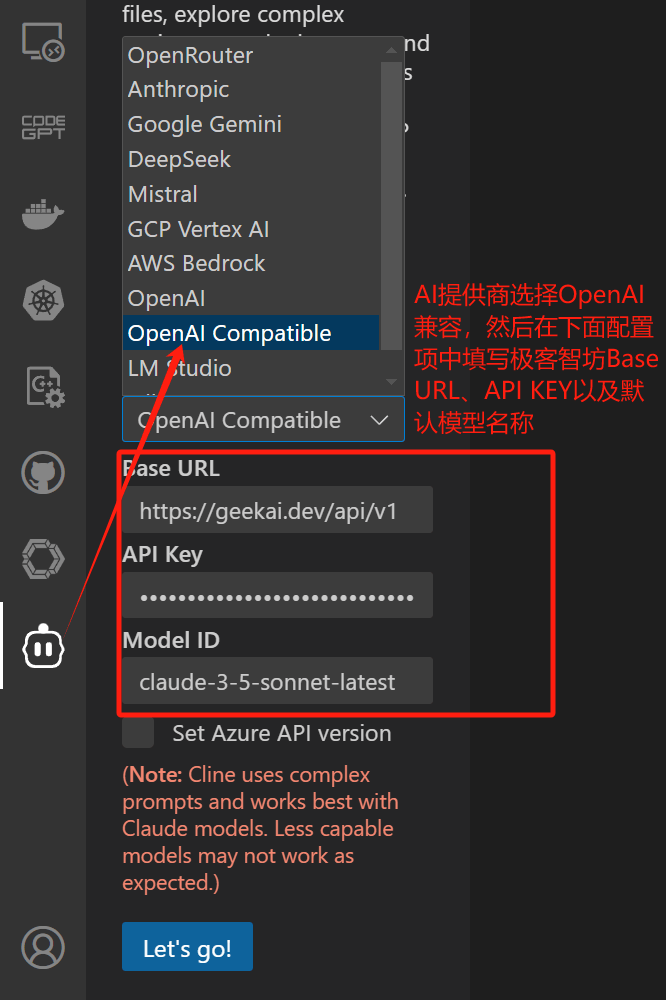
After installing the [Cline](https://github.com/cline/cline) extension in VS Code, open the Cline configuration interface. In the AI provider dropdown list, select OpenAI Compatible. Then, in the configuration items below, fill in the GeekAI model proxy interface Base URL, API\_KEY, and the default model name:
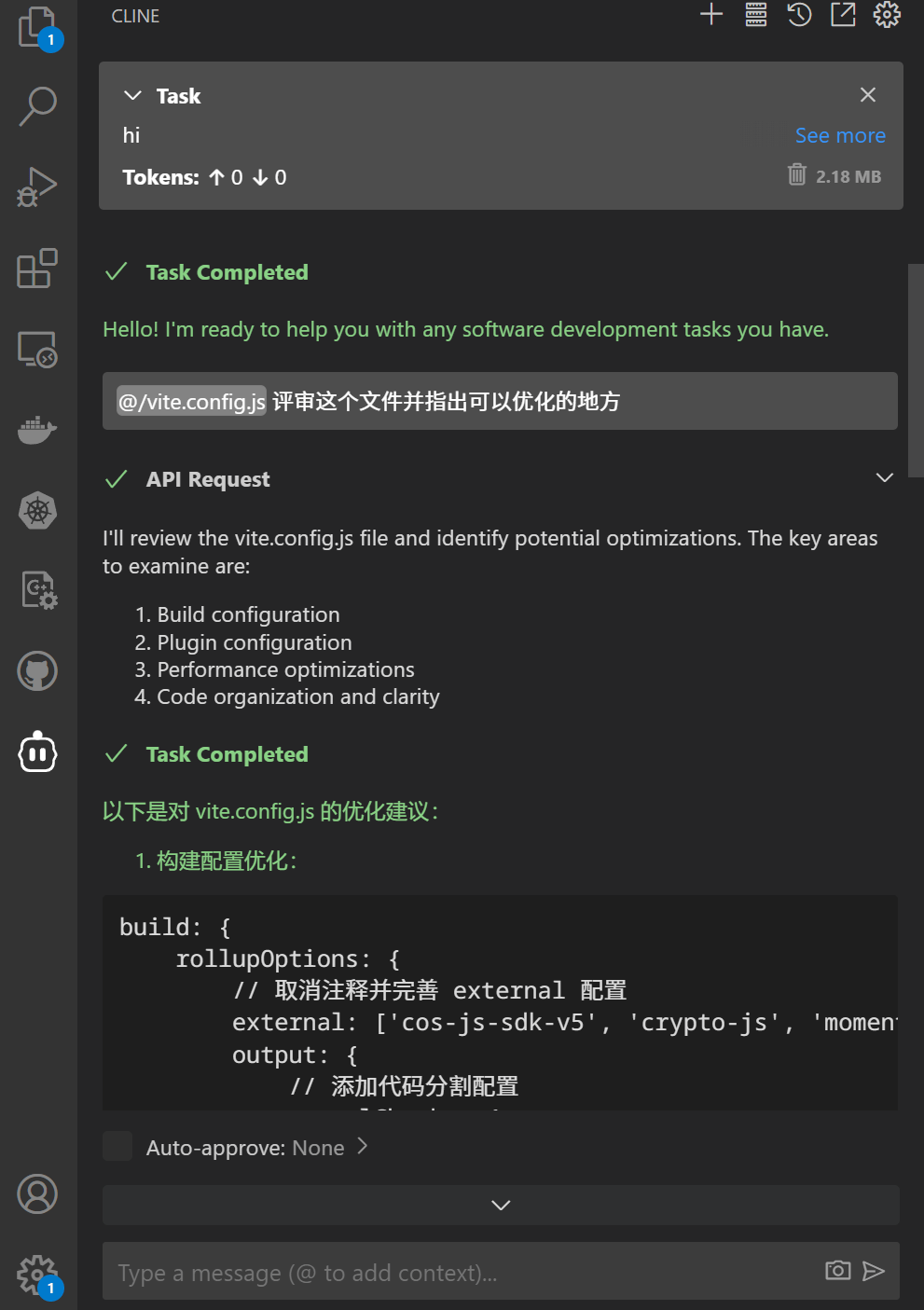
 Once configured, click the Let's go button, and you can use Cline in VS Code through GeekAI's model proxy service:
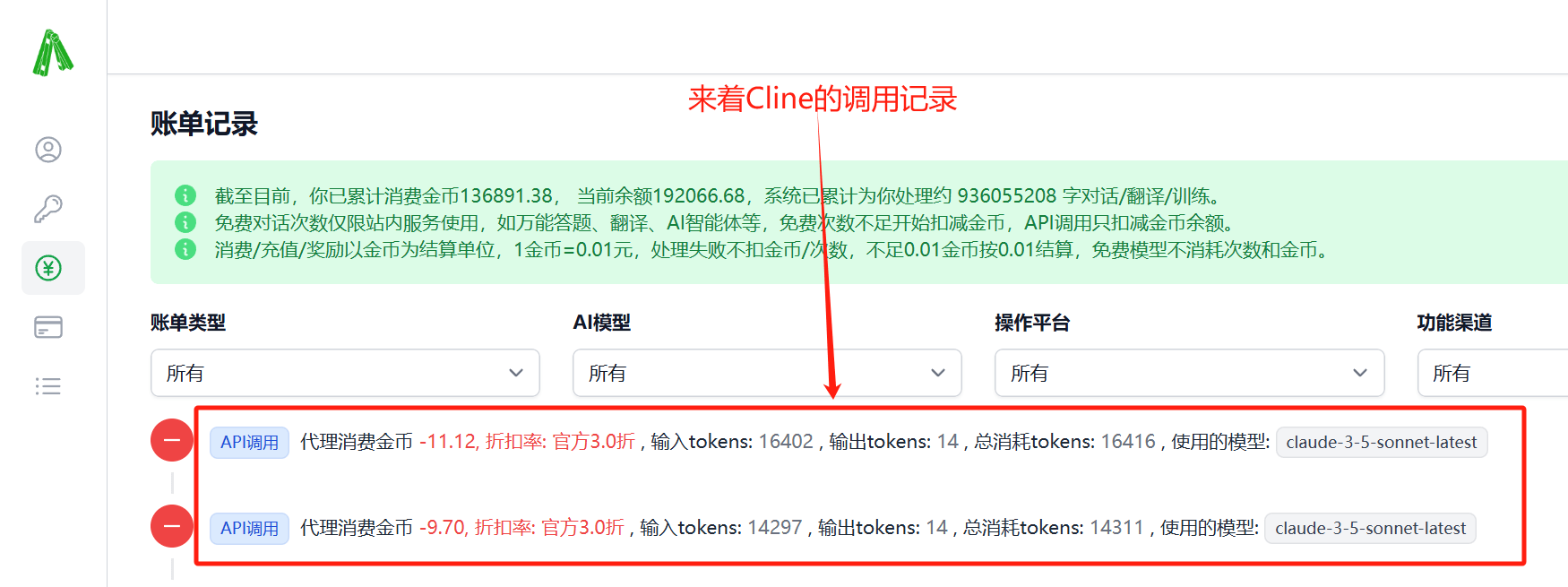
 You can view API consumption on the GeekAI backend [billing records page](https://geekai.dev/user/transactions):
 For more information about using Cline, you can refer to the [official documentation](https://docs.cline.bot/).