> ## Documentation Index
> Fetch the complete documentation index at: https://docs.geekai.co/llms.txt
> Use this file to discover all available pages before exploring further.
# Dify
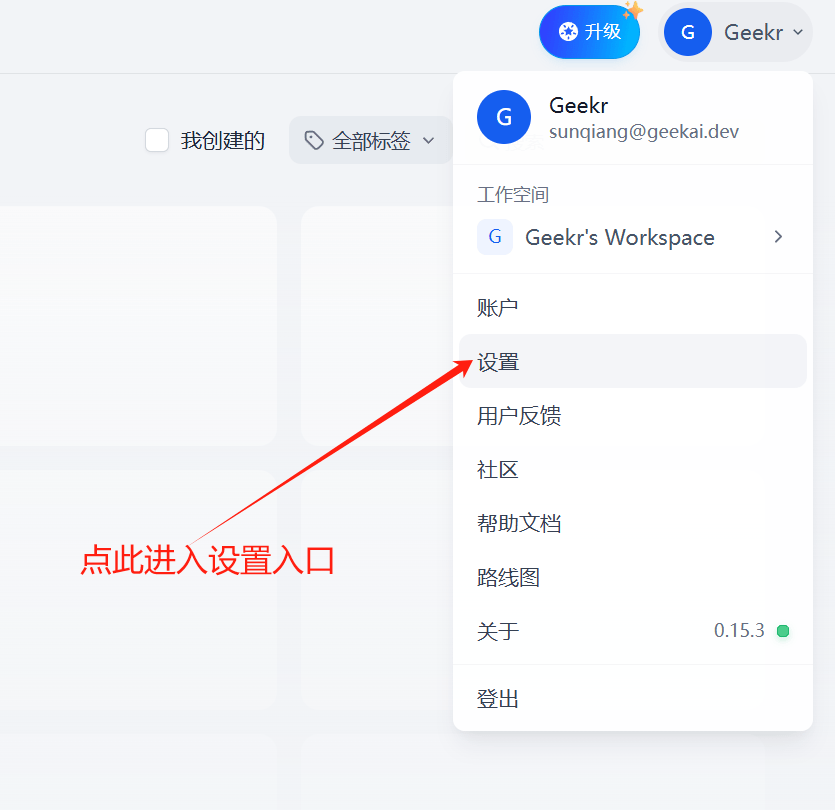
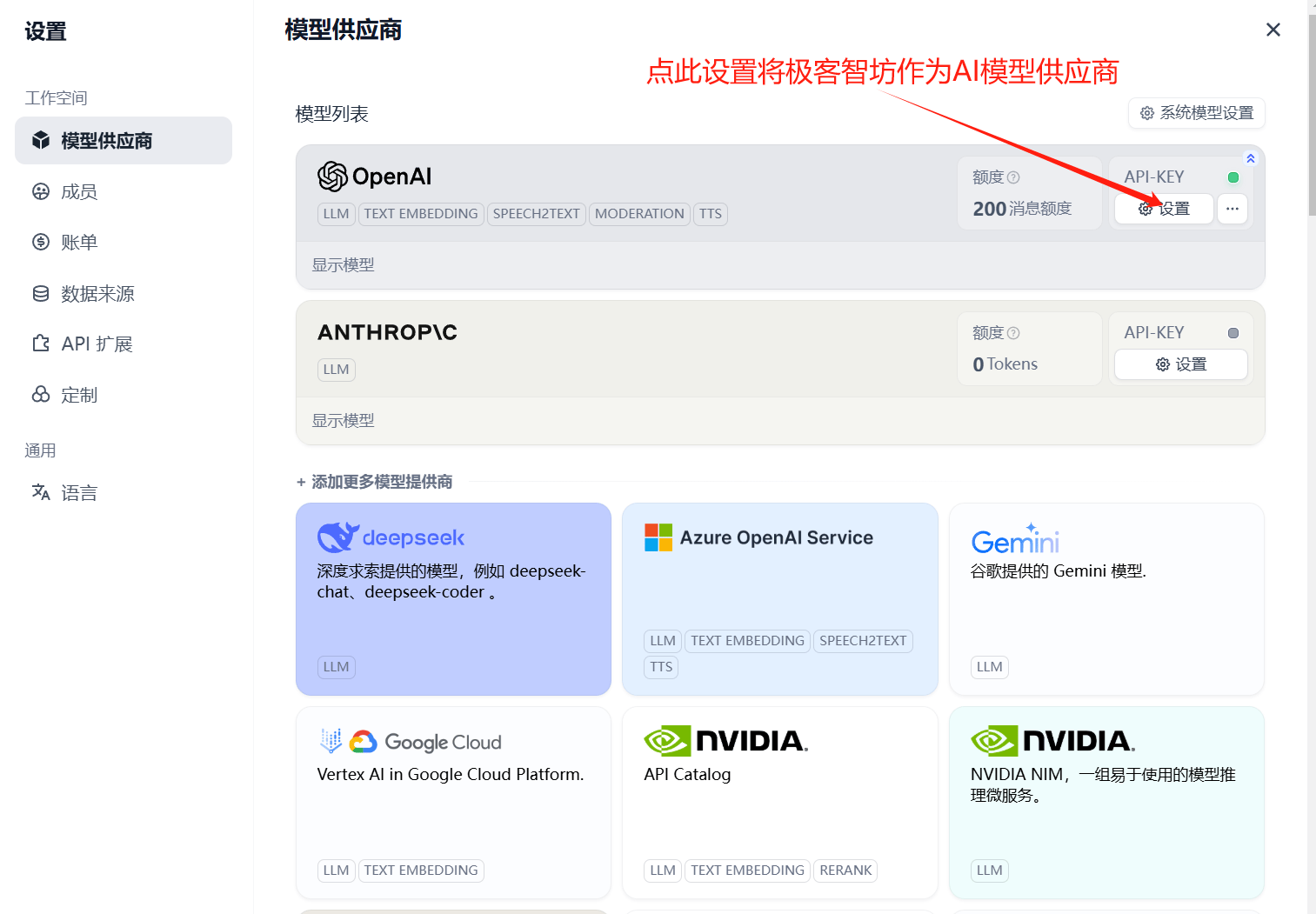
Open the [Dify](https://cloud.dify.ai/apps) settings interface and fill in the GeekAI API Base URL and API\_KEY to use it as an OpenAI model proxy provider:
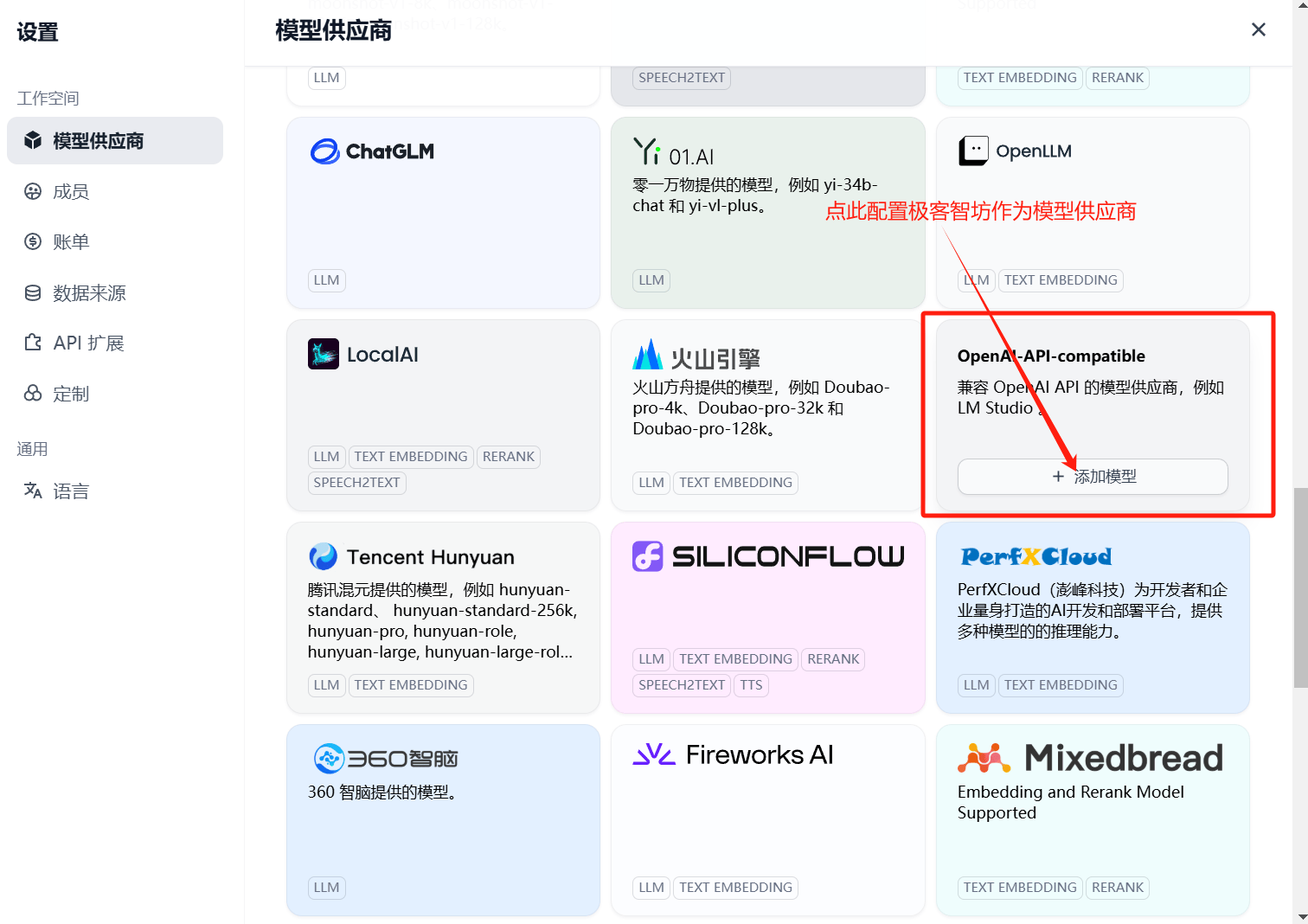
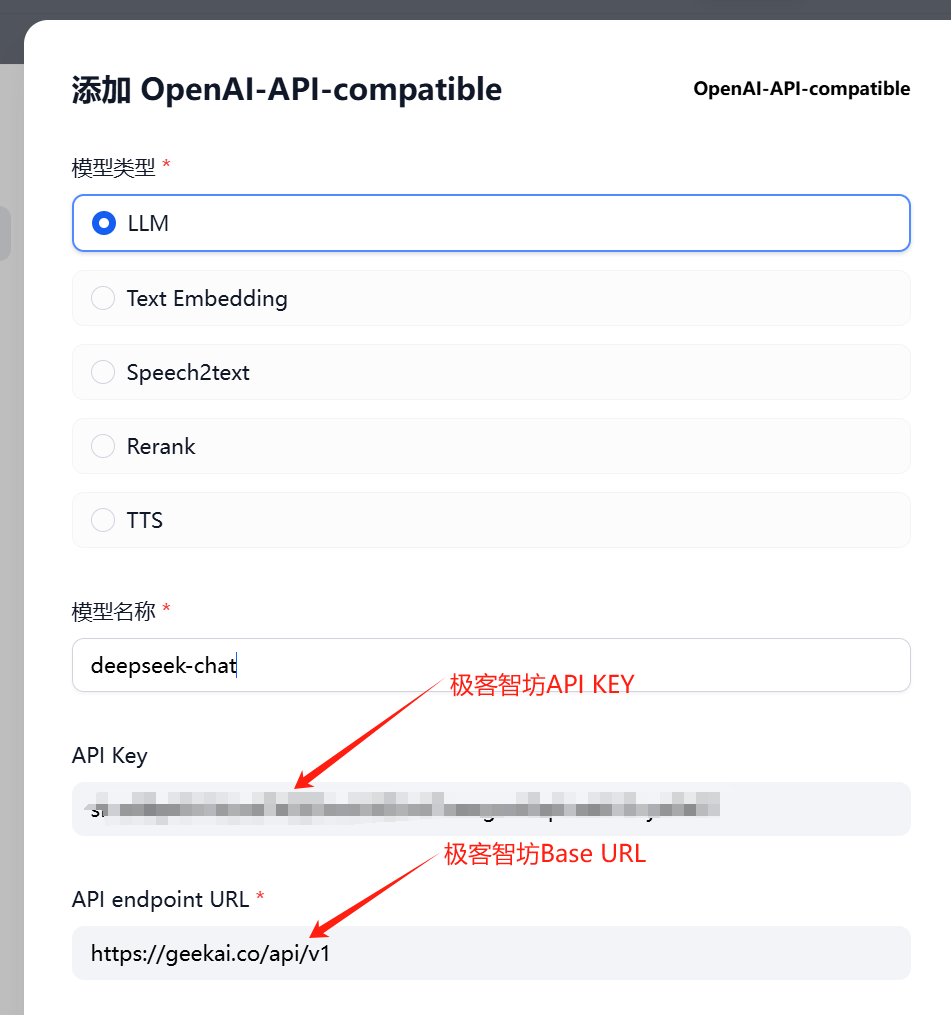
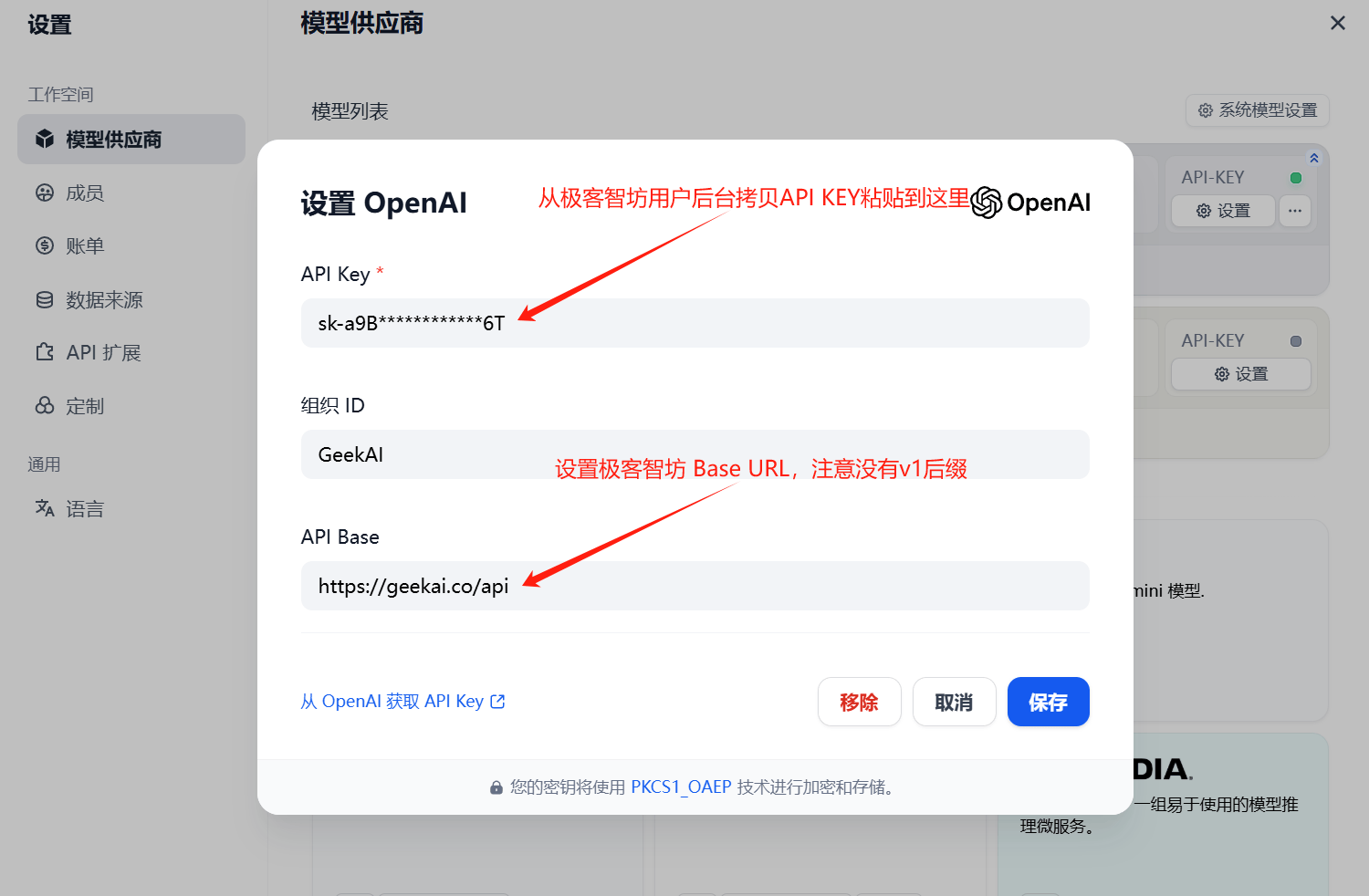 This method only proxies models from the OpenAI platform. To use other platform models supported by GeekAI in Dify, you need to add them via the OpenAI-API-Compatible entry: