
2025.10.29 Baichuan M2 medical models
Baichuan-M2 Plus is Baichuan’s first medical model enhanced with evidence-based reasoning. Its medical hallucination rate is significantly lower than that of general-purpose language models: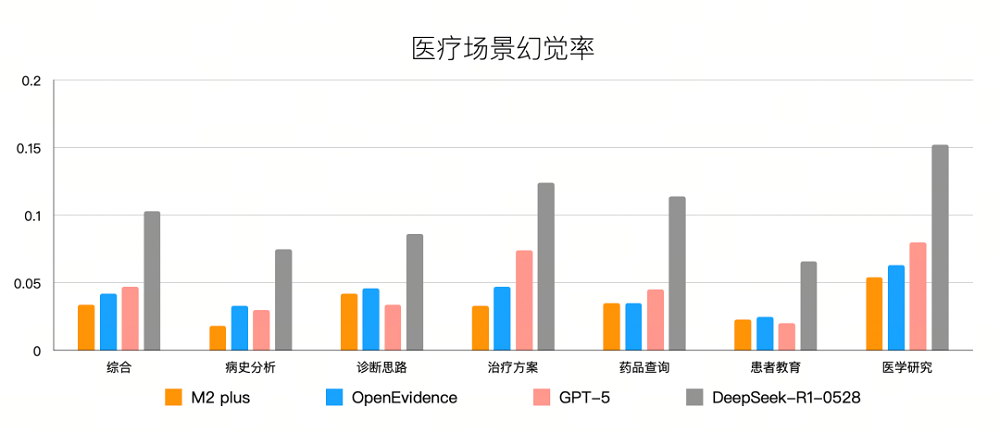 The open-source M2 medical model is also available:
- Baichuan-M2: Baichuan’s open-source model for enhanced reasoning on real-world medical tasks.
- Baichuan-M2 Plus: Baichuan’s first evidence-enhanced medical language model, with significantly fewer medical hallucinations than general-purpose models.
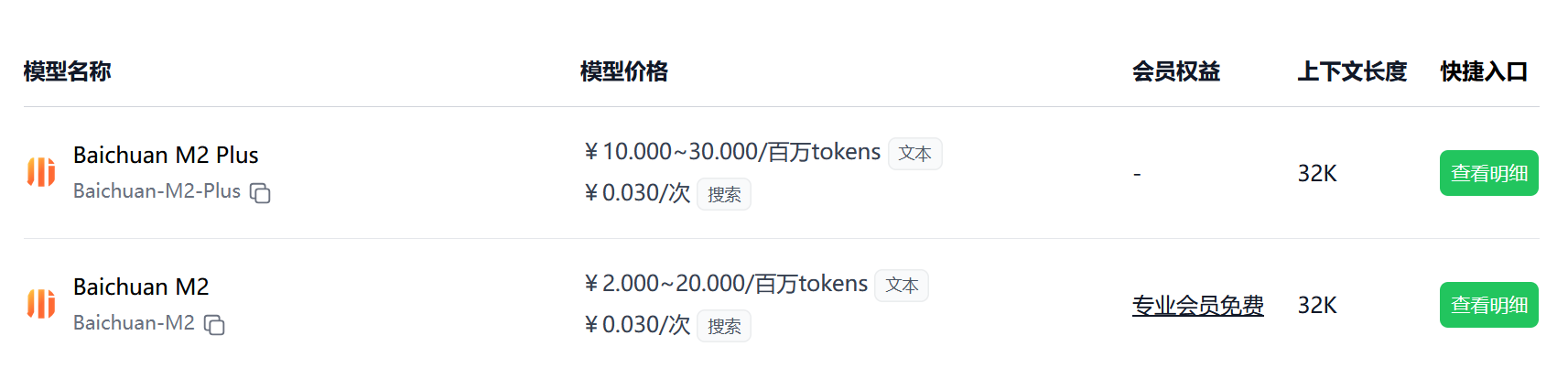 See the chat model integration guide for API examples.
2025.10.28 MiniMax M2 and new video models
MiniMax M2 is a new reasoning model designed for efficient coding and agent workflows. It costs 8% as much as Claude Sonnet, runs twice as fast, and works in Claude Code. It’s free for a limited time: The latest MiniMax video models, MiniMax-Hailuo-2.3 and MiniMax-Hailuo-2.3-Fast, are also available:- MiniMax-Hailuo-2.3: Improves body movement, physics, and instruction following in generated video.
- MiniMax-Hailuo-2.3-Fast: A much faster image-to-video model that balances image quality, expressiveness, and cost.
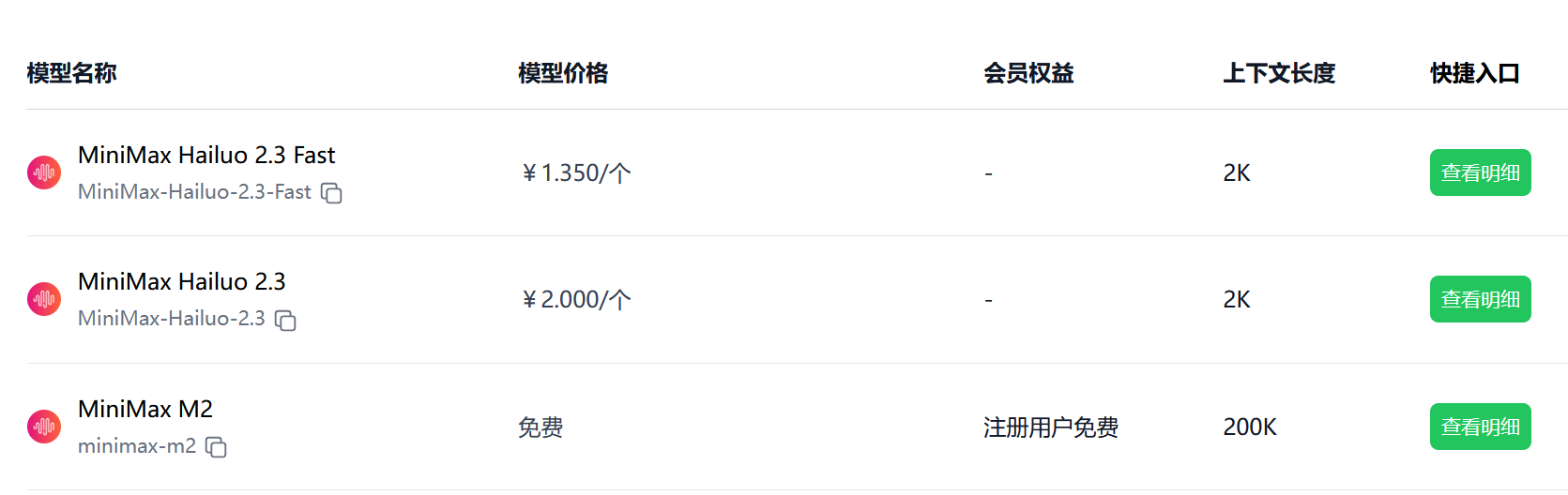 For API examples, see the text model integration guide for chat and the video model integration guide for video.
2025.10.27 Tencent Hunyuan 3D Pro and Fast, and Doubao 3D generation
Hunyuan 3D Pro, Hunyuan 3D Fast, and Doubao’s new Doubao-Seed3D-1.0 are available. These models automatically create high-precision 3D files from text and 2D images for game development, film production, product design, and e-commerce. They make professional modeling more accessible, speed up creation, and give designers more flexibility:- Hunyuan 3D Pro: Uses the Hunyuan 3D 3.0 generator for higher precision and quality.
- Hunyuan 3D Fast: Builds on Hunyuan 3D and substantially reduces the time needed to generate 3D model files.
- Doubao-Seed3D-1.0: Quickly generates high-precision 3D assets with polygon meshes and PBR materials from input images.
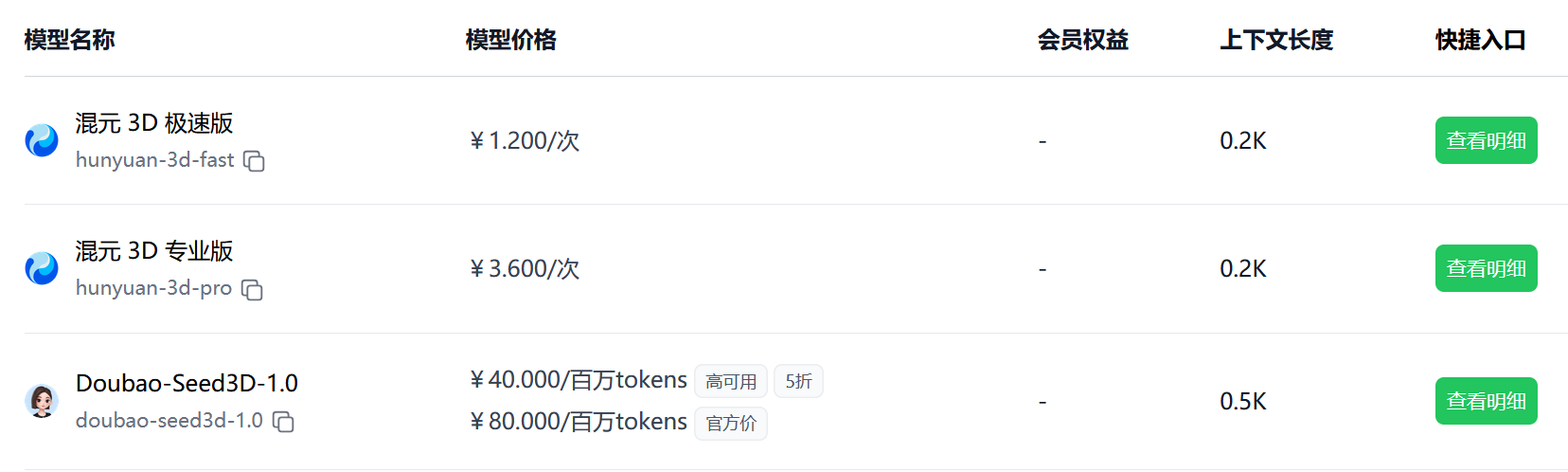 See the 3D model integration guide for API examples.
2025.10.25 Option to disable automatic proxy channel switching
Automatic proxy channel switching is on by default. To turn it off, edit a key on the API key management page and use the new Automatic proxy channel toggle: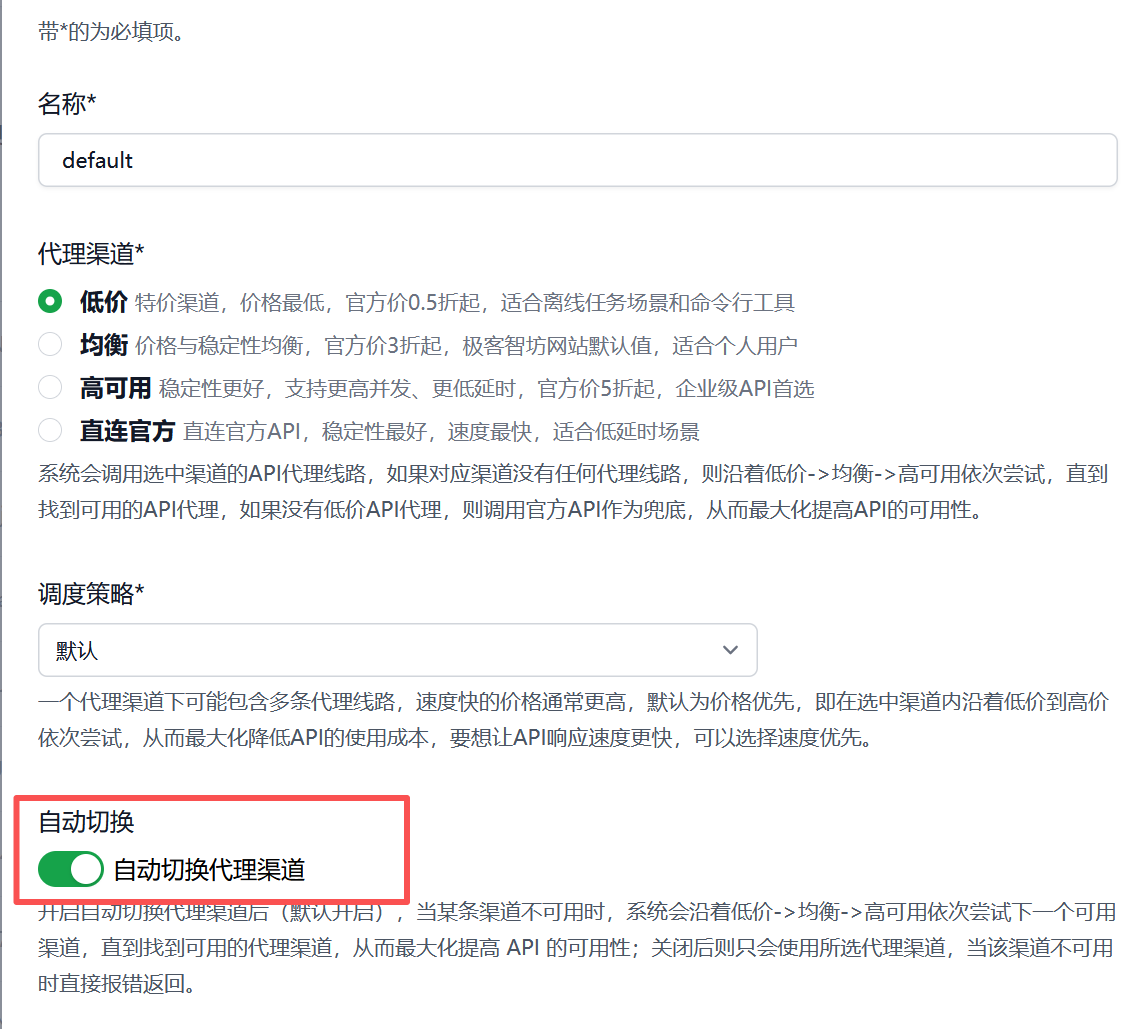
2025.10.24 Background mode for Chat Completions
Long inputs and reasoning models can take long enough to make requests unreliable. To enable background mode on the Chat Completions endpoint, setbackground to true in the request. The proxy immediately returns a task ID you can use to retrieve the result later, avoiding a long wait on the original request. See the example:
Background mode supports all chat models served by GeekAI’s proxy.