
Quick start
Install Node.js 18 or later before you begin. Install Claude Code in the terminal:On Windows, create or edit
settings.json in %USERPROFILE%\.claude. %USERPROFILE% is your user directory, such as C:\Users\GeekAI for the Windows user GeekAI.settings.json, enter:
<YOUR_GEEKAI_API_KEY> with your GeekAI API key. If you use GeekAI International, use its endpoint and a key issued by that service instead:
Do not append /v1 to the base URL; doing so causes requests to fail.
The default balanced routing policy works for individual developers. For larger projects or faster responses, edit your key on the API Keys page and select Speed first. This route supports caching and costs 40% of the official price.
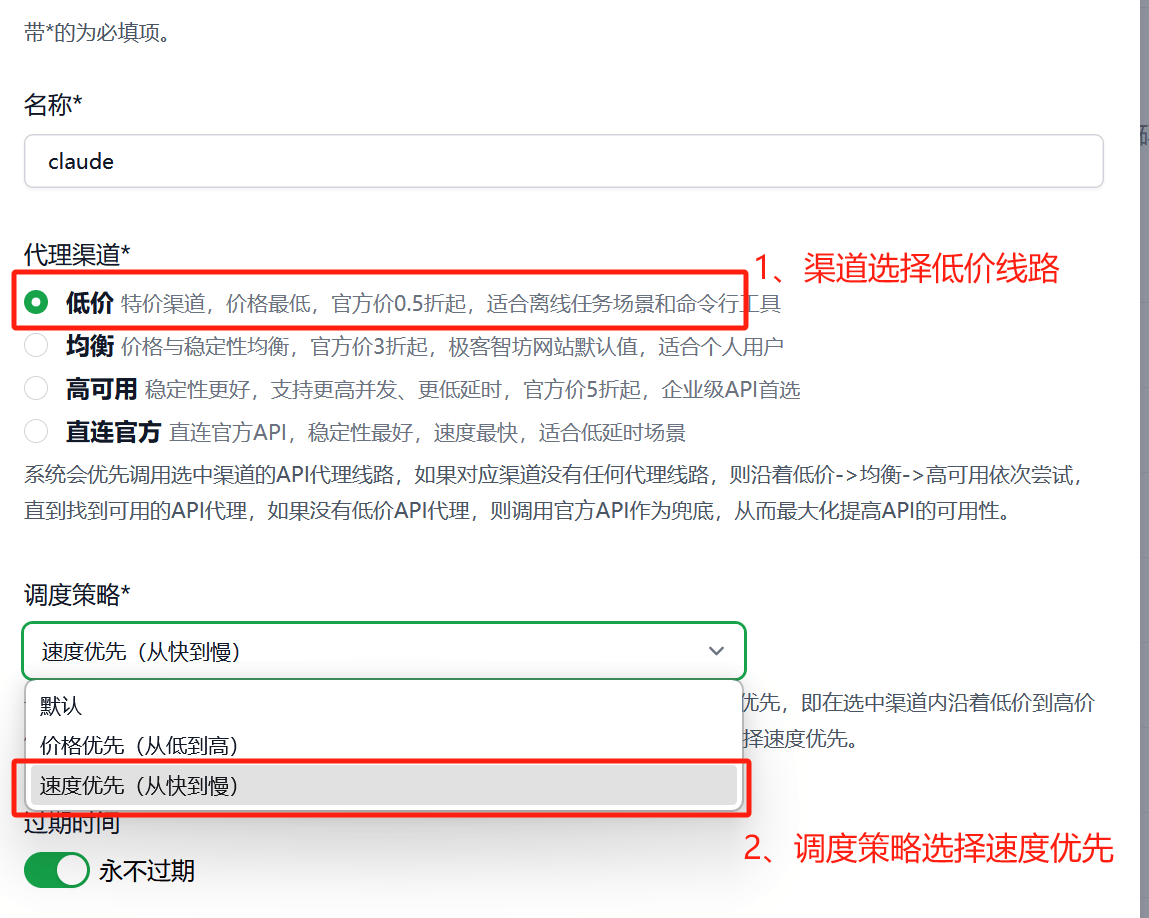
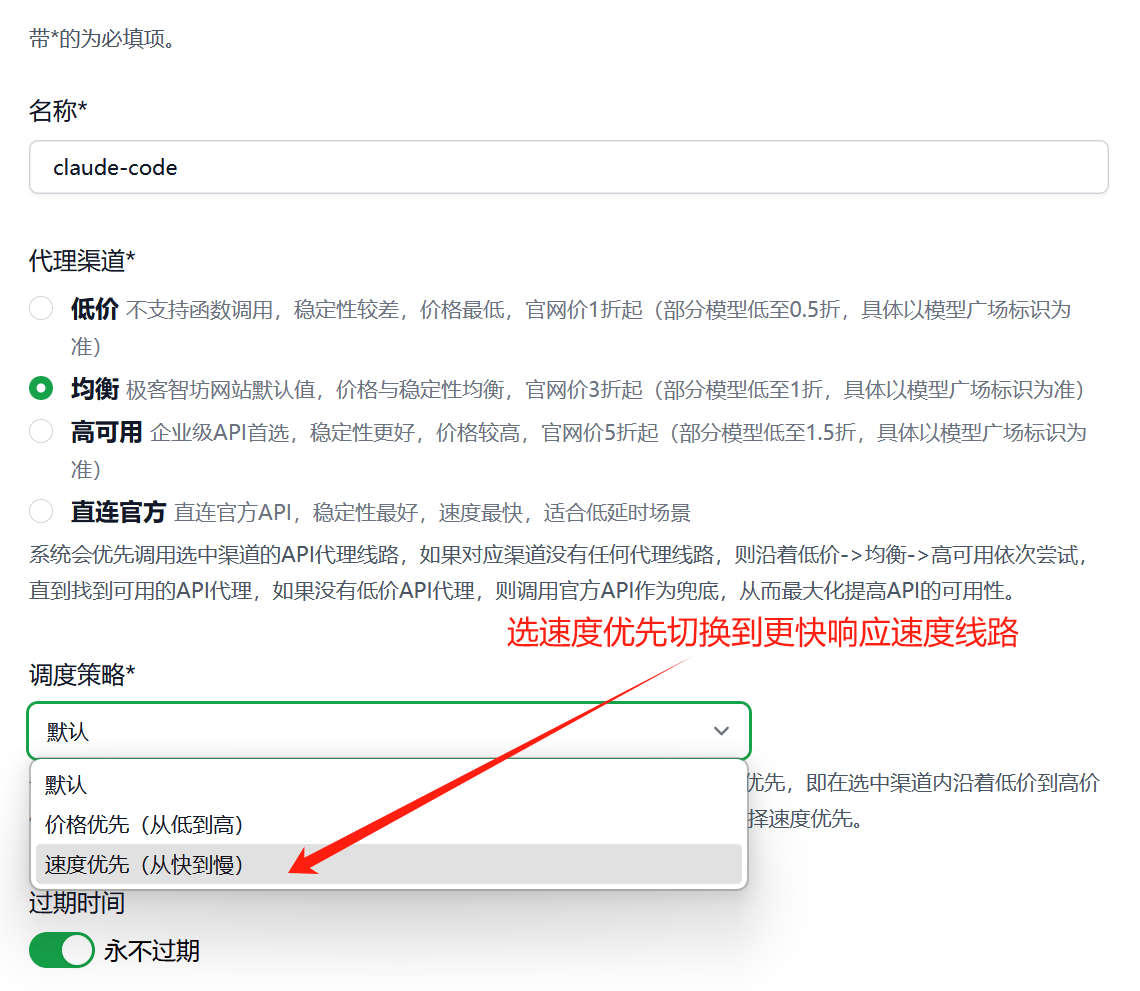 For smaller projects, you can reduce the cost to 20% of the official price by selecting the low-cost channel and keeping the Speed first policy:
 Save the settings and launch Claude Code:
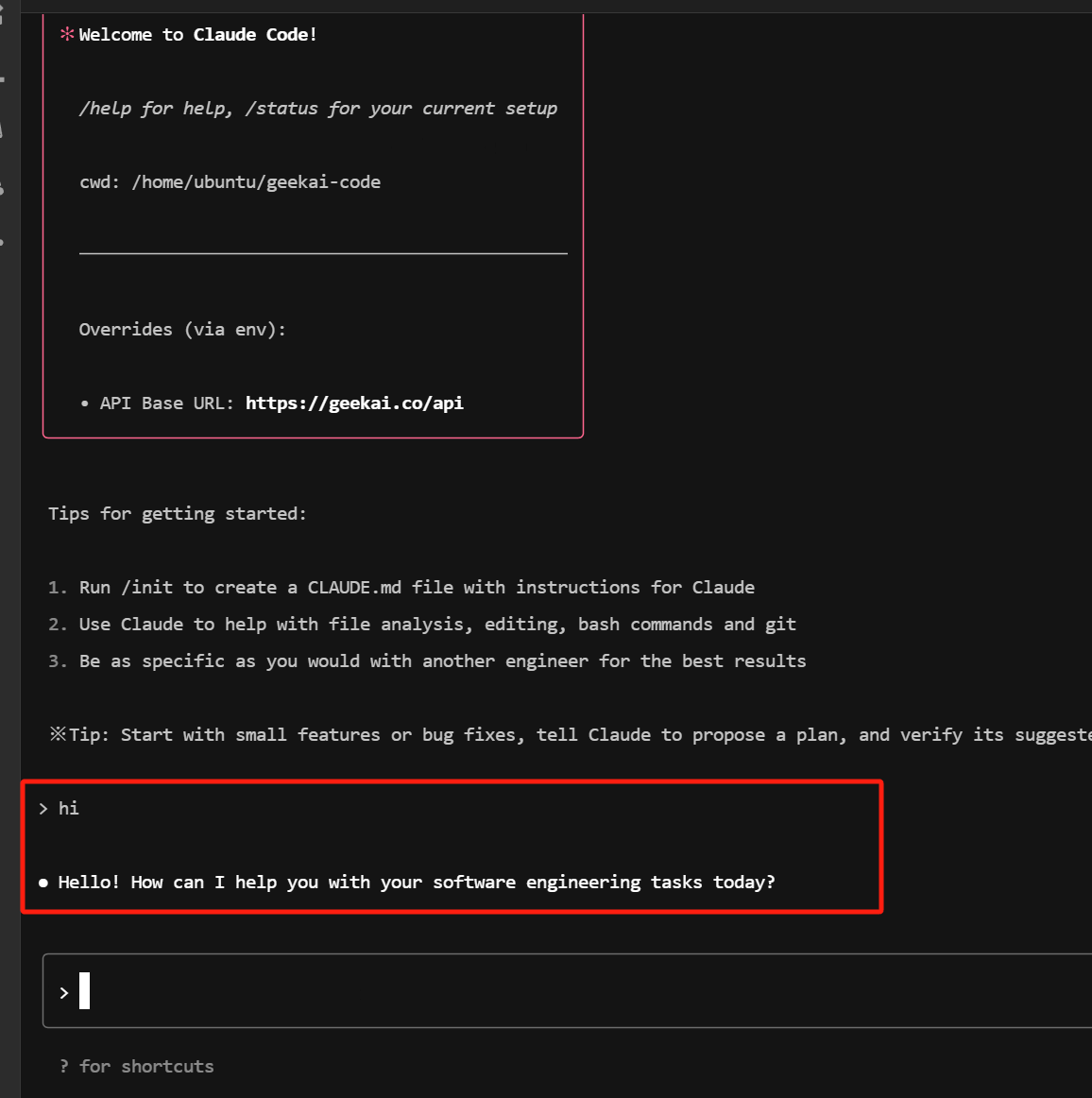
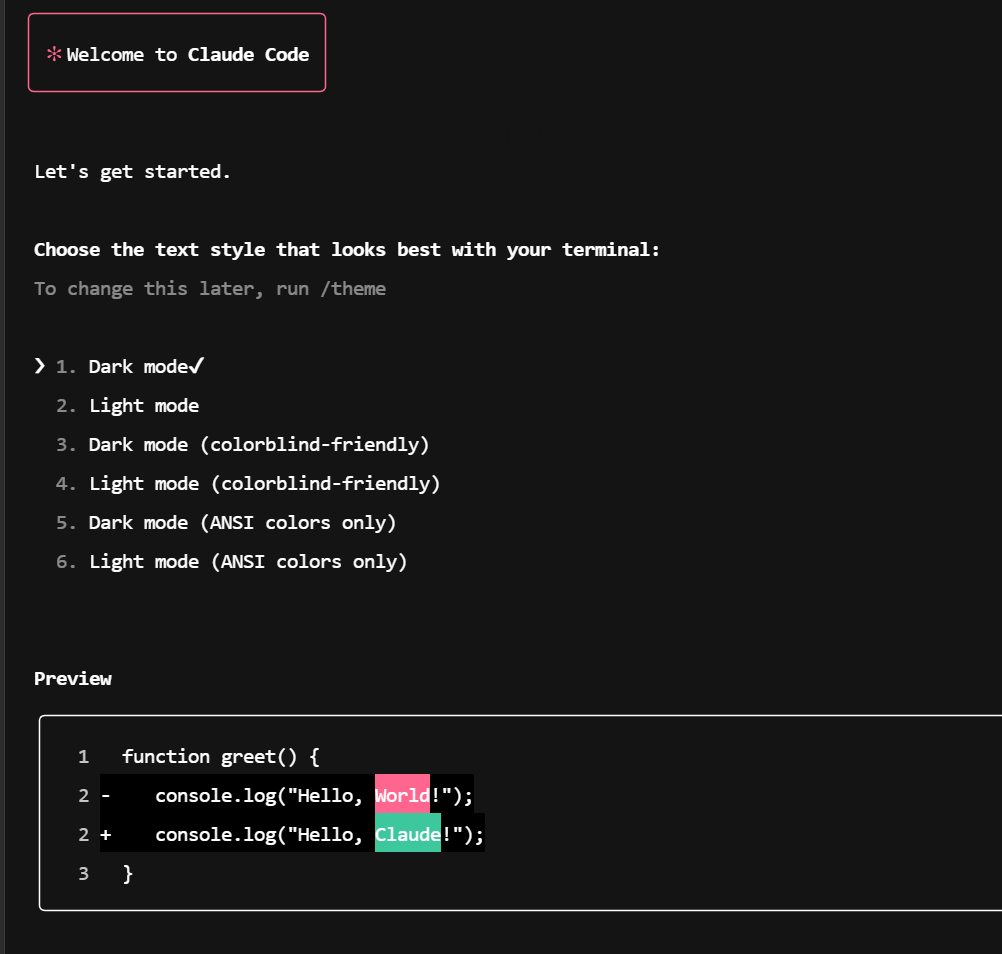 On first launch, press Enter to accept the setup prompts. At the interactive prompt, ask Claude for coding suggestions or help with a problem:
Customize Claude Code
You can add the following options toenv in settings.json:
ANTHROPIC_MODEL: Main model (default:claude-sonnet-4-5-20250929).ANTHROPIC_SMALL_FAST_MODEL: Model for background tasks (default:claude-haiku-4-5-20251001).BASH_DEFAULT_TIMEOUT_MS: Default timeout for long-running Bash commands.BASH_MAX_TIMEOUT_MS: Maximum timeout the model can request for a Bash command.BASH_MAX_OUTPUT_LENGTH: Maximum output length for a Bash command.CLAUDE_BASH_MAINTAIN_PROJECT_WORKING_DIR: Return to the original working directory after each Bash command.CLAUDE_CODE_MAX_OUTPUT_TOKENS: Maximum number of tokens the model can generate.HTTP_PROXY: HTTP proxy server for network connections.HTTPS_PROXY: HTTPS proxy server for network connections.MAX_THINKING_TOKENS: Enforced token budget for thinking.MCP_TIMEOUT: MCP server startup timeout in milliseconds.MCP_TOOL_TIMEOUT: MCP tool execution timeout in milliseconds.MAX_MCP_OUTPUT_TOKENS: Maximum tokens allowed in an MCP tool response (default: 25000).
- List settings:
claude config list - Read a setting:
claude config get <key> - Change a setting:
claude config set <key> <value>
Use third-party models
Kimi K2
After configuring GeekAI as your provider, use/model to switch to Kimi K2:

DeepSeek V3.1
To switch to DeepSeek V3.1 through GeekAI, enter:
GLM 4.5
GeekAI also supports Zhipu’s Claude Code-compatible GLM 4.5 series. Switch to GLM with:
glm-4.5, glm-4.5-air, and glm-4.5-flash all work in Claude Code.Qwen3 Coder
To use Qwen3 Coder Plus through GeekAI, enter:
MiniMax M2
MiniMax M2 is designed for coding and agent tasks. It offers twice the speed at 8% of the price of Claude Sonnet, with a limited-time free offer.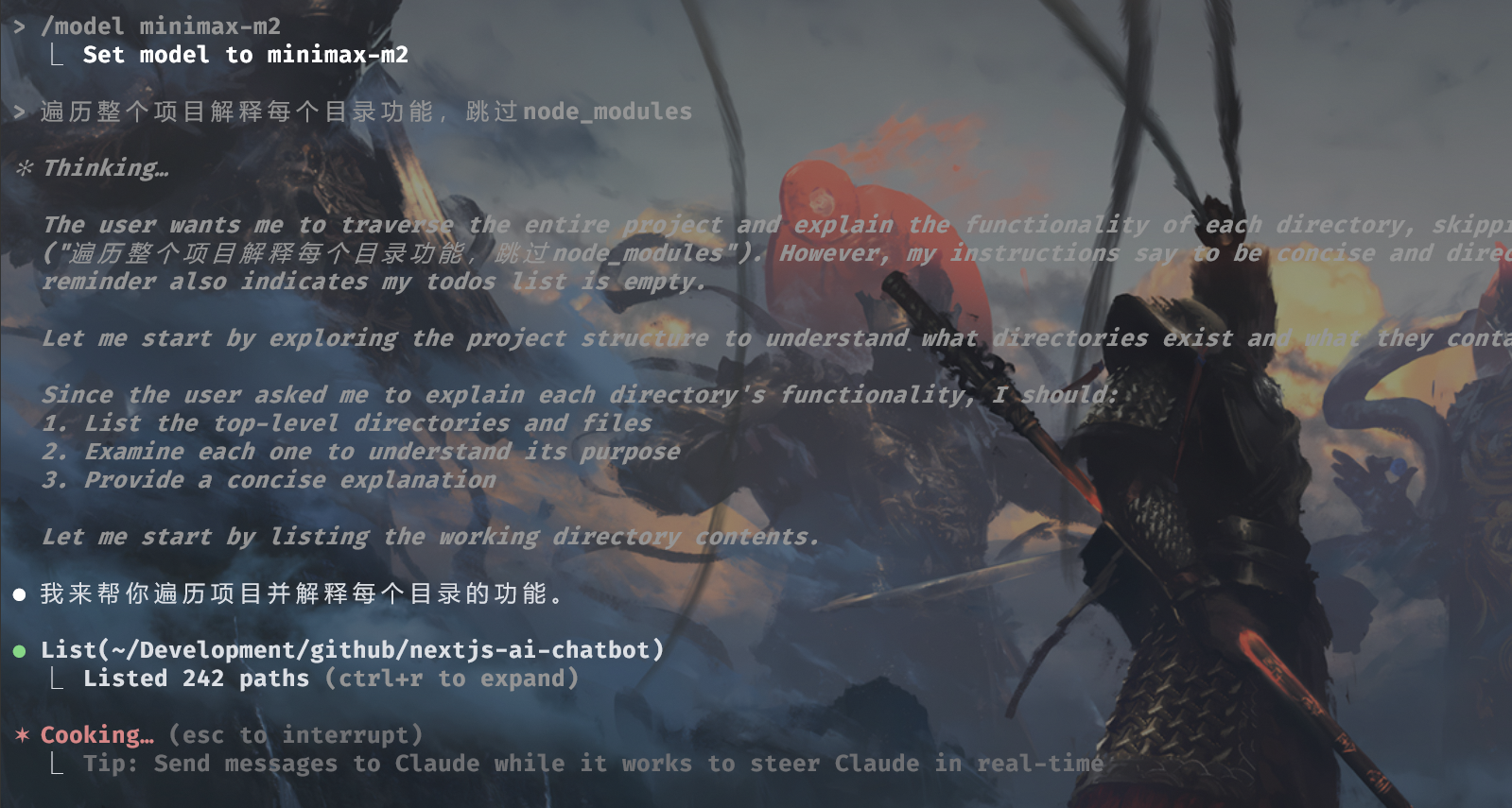
Use Claude Code in an IDE
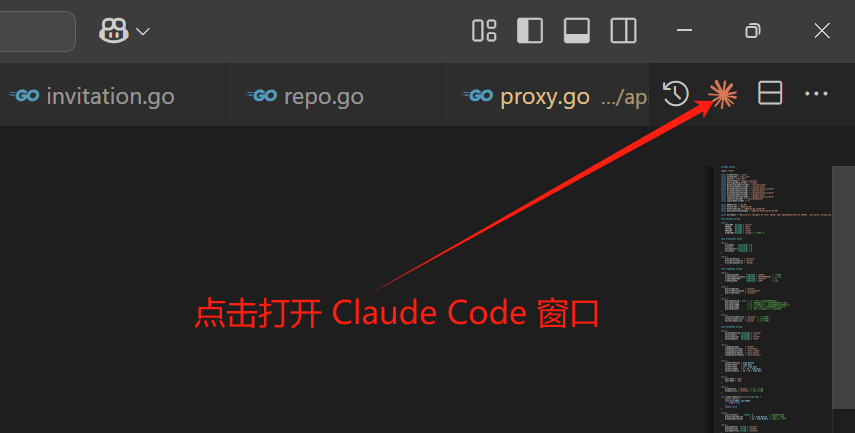
In VS Code, install the Claude Code extension: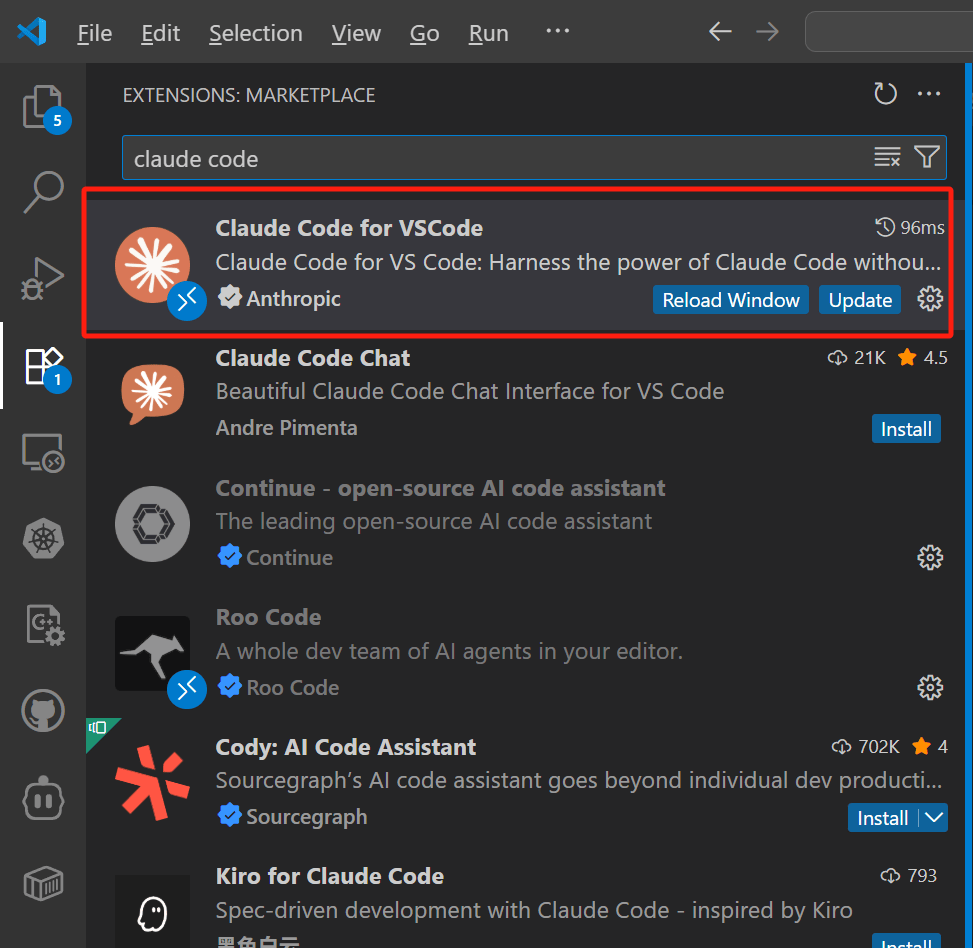 Click the Claude Code icon at the upper right of the editor to open the chat window:
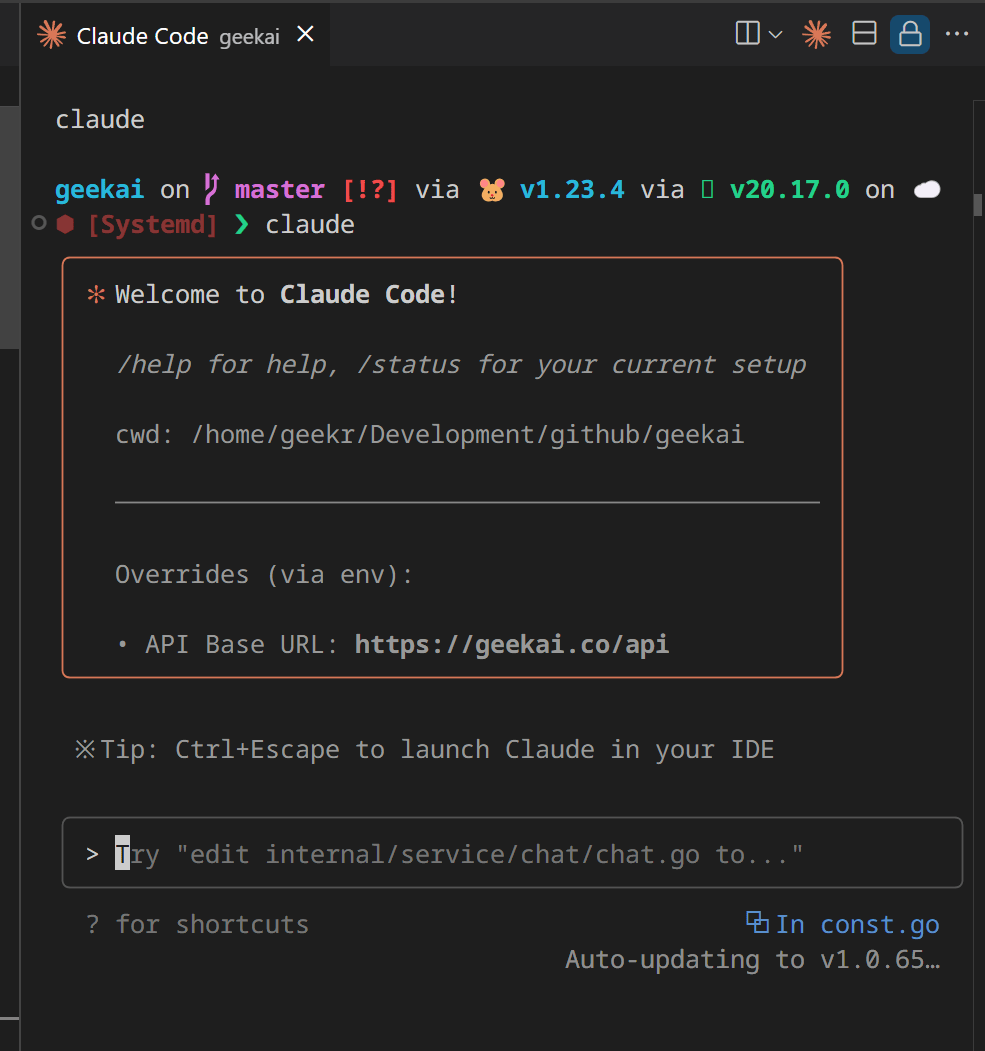 The extension uses the Claude Code environment you configured in the terminal, so no additional setup is needed.